The Best CRM for SaaS
Most CRMs are one-size-fits-all tools that force you to adapt to them

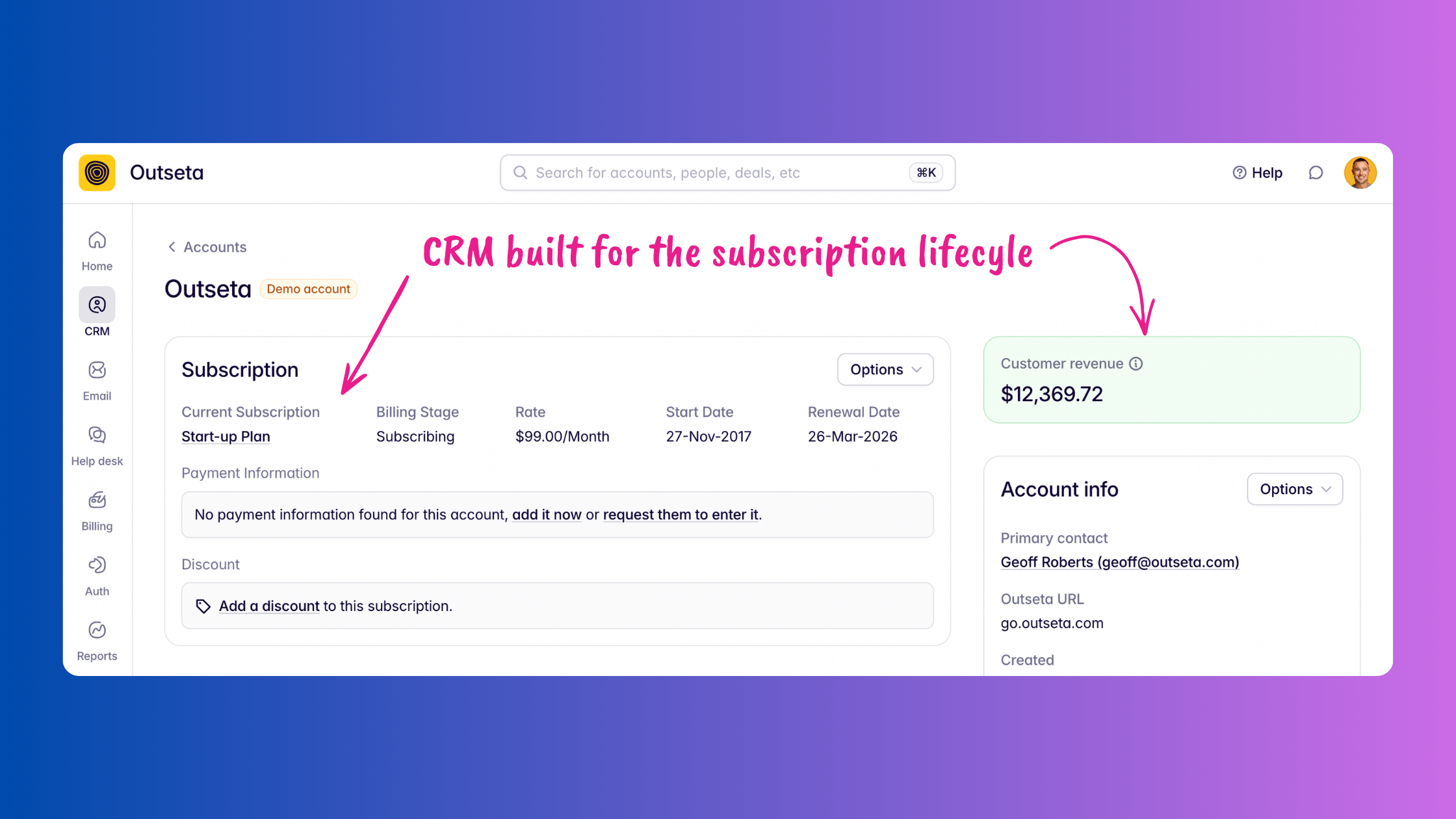
You've searched "best CRM for SaaS" and gotten back the same list everyone gets: HubSpot, Salesforce, Pipedrive, Close. They're all fine products (well, maybe not Salesforce). But what the search results won't tell you—not one of them is purpose-built for SaaS.
They're horizontal tools. Built to serve everyone from car dealerships to law firms to e-commerce brands, because the bigger the target market the better. That's a rational product strategy for them. But that means that you're the one left doing the heavy lifting—integrating your billing tool, wiring up your auth provider, building custom reports, and cobbling together other tools before you can send a basic onboarding sequence.
The CRMs you know by name were not built for you. You're just adapting.
A CRM purpose-built for SaaS looks different. It's designed around the subscription lifecycle—free trial, activation, renewal, expansion, churn prevention—rather than a generic B2B sales pipeline that treats every deal like a one-time transaction.
We've been building CRM purpose built for SaaS at Outseta since 2016. Here's what it actually looks like.
What does a SaaS company actually need from a CRM?
Before getting into specifics, it's worth being clear about what makes CRM genuinely useful for SaaS businesses—because it's a different list than what you'd put together for a traditional sales org.
You need subscription and billing data sitting alongside contact records, not syncing from a separate tool on a delay. You need to know how each customer is actually using your product—who's activated, who's gone quiet, and who's a candidate for an upgrade. You need MRR, LTV, and churn surfaced natively, not buried in a custom report you had to build yourself. And you need email automation for free trials, onboarding sequences, and churn saves—without paying for a separate email marketing platform.
Most CRMs treat the sale as the finish line. In SaaS, the sale is the starting gun.
12 things a CRM purpose-built for SaaS does differently
1. A single, unified customer record
When you use Outseta, all of your customer data lives in one place: CRM data, payment history, authentication activity, product engagement, email communication, and support tickets. No integrations to maintain, no data to sync between tools, no fragmented picture of who your customer is and what they're experiencing.

This matters even more now that everyone is trying to use AI to understand their customers better. Fragmented systems produce fragmented context. A unified record means you can actually surface insights worth acting on.
2. Subscription and billing data built into CRM records—not synced from somewhere else
Other CRMs require you to integrate and sync your billing tools. With Outseta, your CRM records are built around subscriptions from the start. Change renewal dates, upgrade or downgrade customers, manage subscription status—all directly from the customer record. No separate Stripe login required.

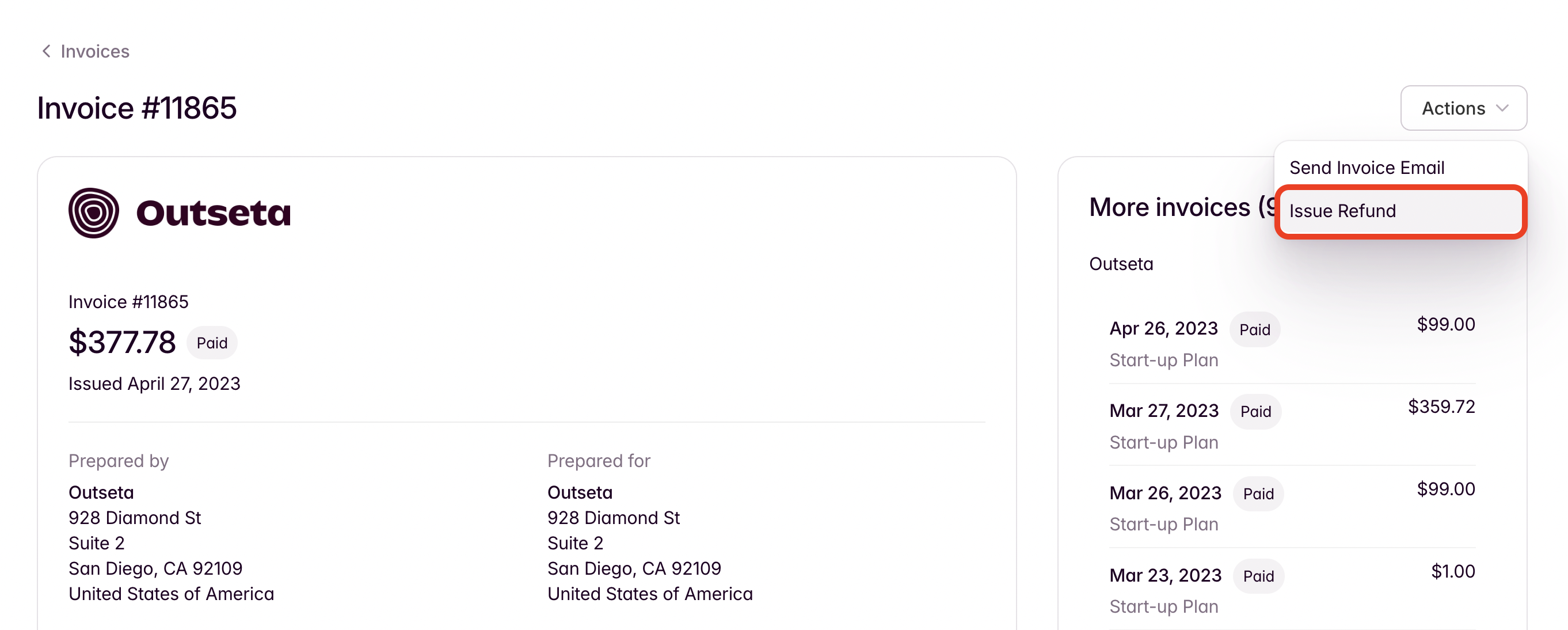
3. Issue refunds without leaving your CRM
Full refund, partial refund—handle it straight from the customer record. This sounds like a small thing until you've done it five times in a day—fumbling with authenticating into Stripe is not a right of passage.
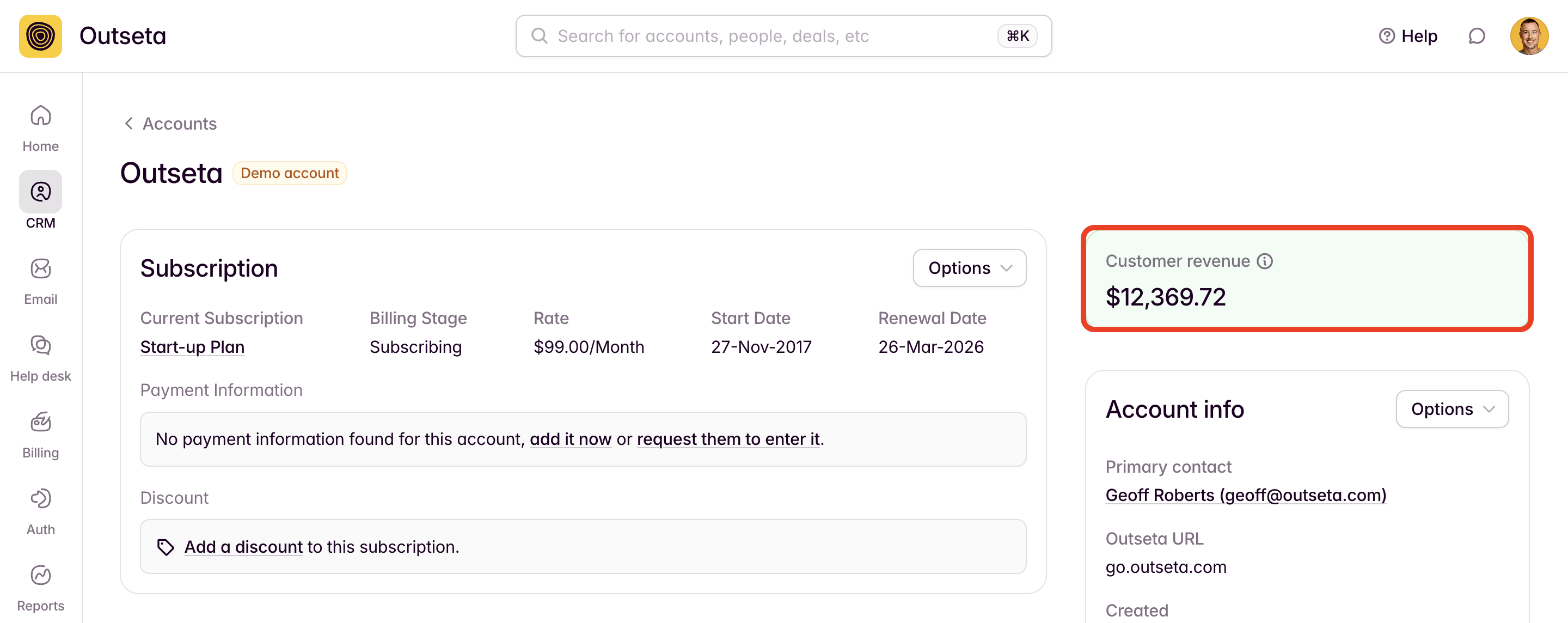
4. Customer Lifetime Value on every record, updated in real time
LTV is tracked at the top of each CRM record and updates as payments roll in. For any SaaS team trying to prioritize where to spend their customer success energy, this is table stakes—and almost no other CRM surfaces it natively without some custom work.
{{cta}}
5. Product usage and engagement data
What could be more relevant to a SaaS CRM than knowing how each customer actually uses your product? Outseta tracks this directly. See which customers have connected integrations, which features they use most, where they're running into problems. Add custom activity tracking via Outseta's API for anything you care about.
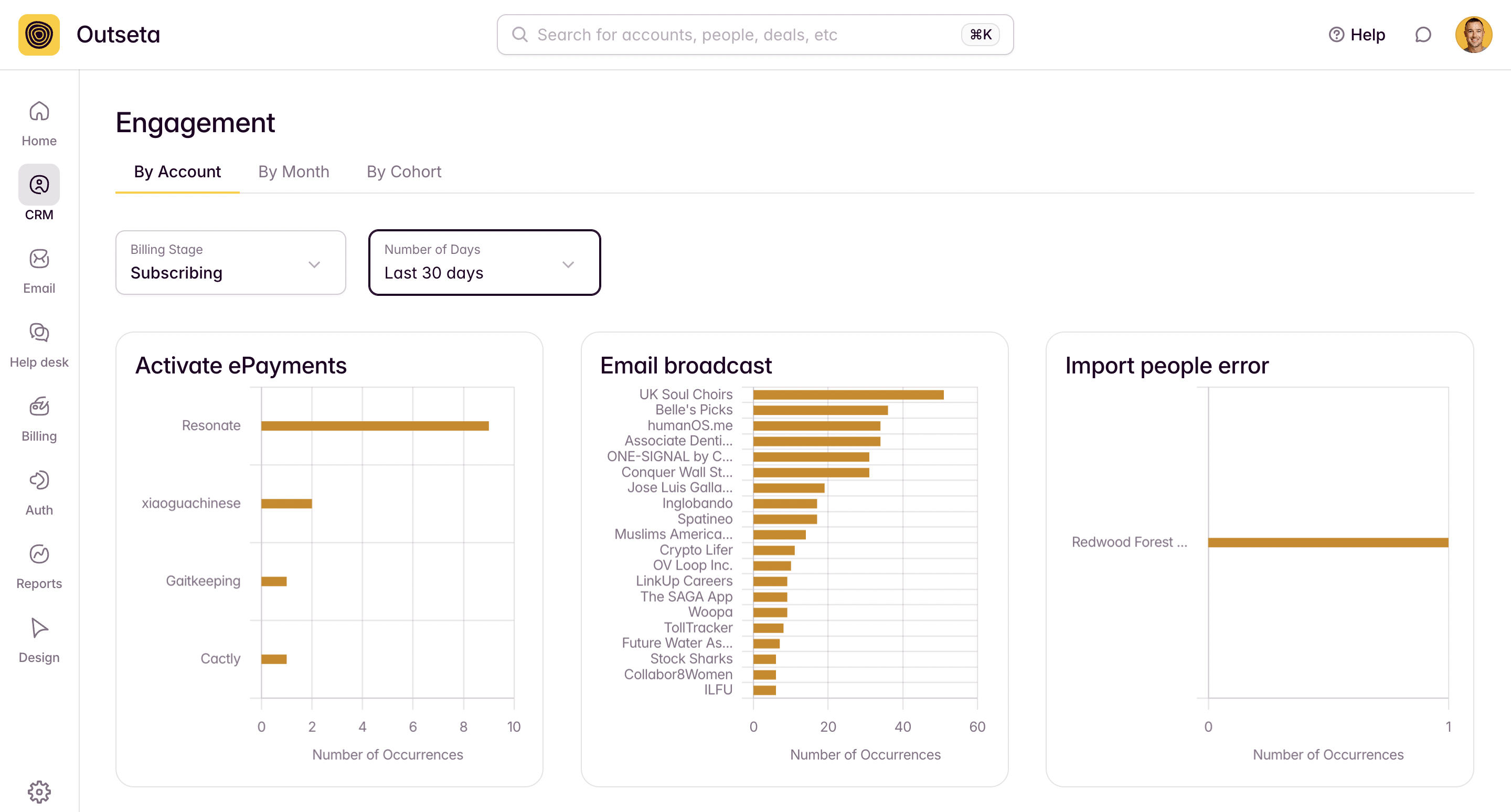
When I pull up a customer record at Outseta, I can see things like whether they've connected to Stripe, whether they're using our email features, whether they've had trouble importing data. That context makes every support and success conversation meaningfully better.
6. Segmentation built for SaaS use cases
Segments let you filter by and group customer based on any data stored in Outseta CRM—everything from the subscription plan the user holds to any custom property data that you've added to the CRM yourself. Use them to identify at-risk accounts, target upgrade candidates, or trigger email automations—without exporting anything to another tool.

7. Authentication activity tracked automatically
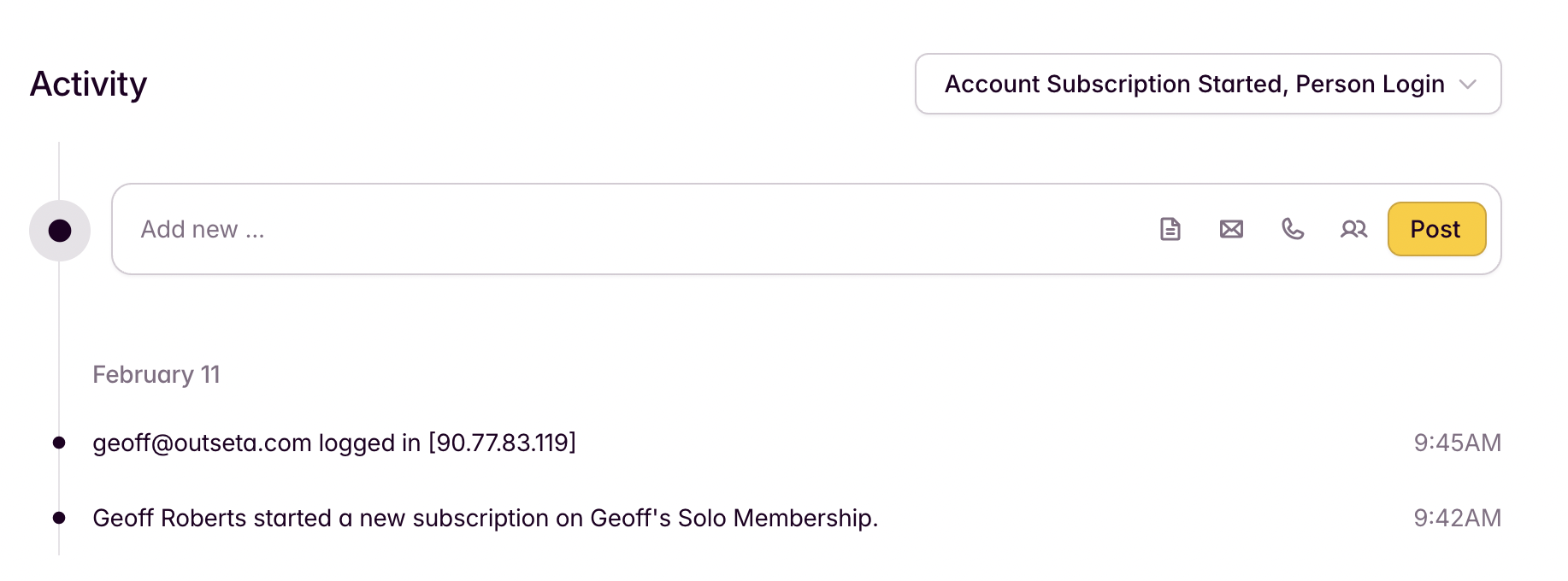
Your CRM knows when users are logging in and out of your product. Login frequency is one of the strongest leading indicators of churn—it should be in your CRM by default. This is one of 60 engagement signals Outseta tracks automatically—it which will show up in your "Activity Feed" on your CRM records.
8. SaaS email sequences built in
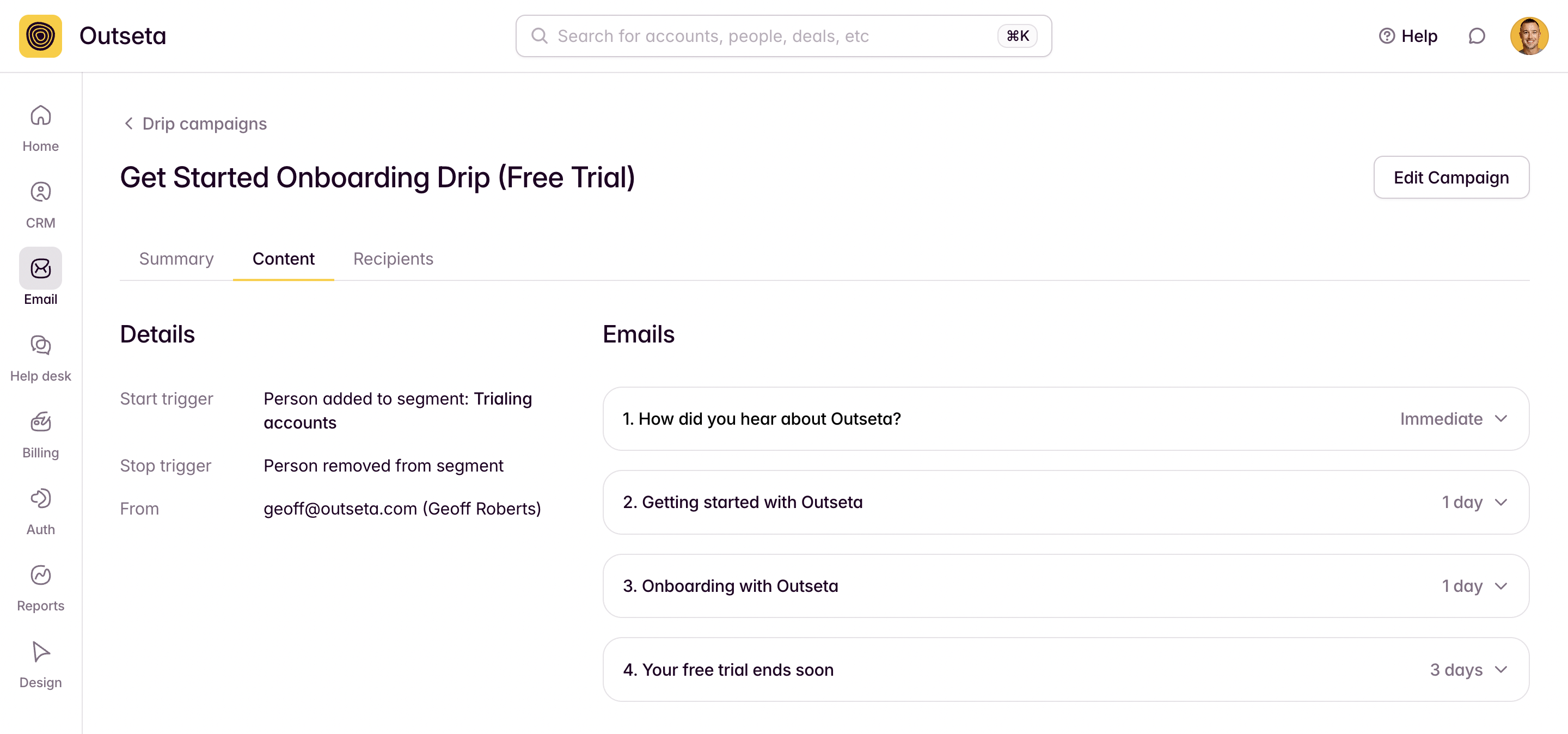
SaaS businesses run on automated email sequences: free trial workflows, onboarding sequences, renewal reminders, churn save campaigns, lead nurturing sequences. Set all of these up inside your CRM, with full visibility into opens and click engagement—without needing a separate email marketing platform.
9. Support tickets with LTV context
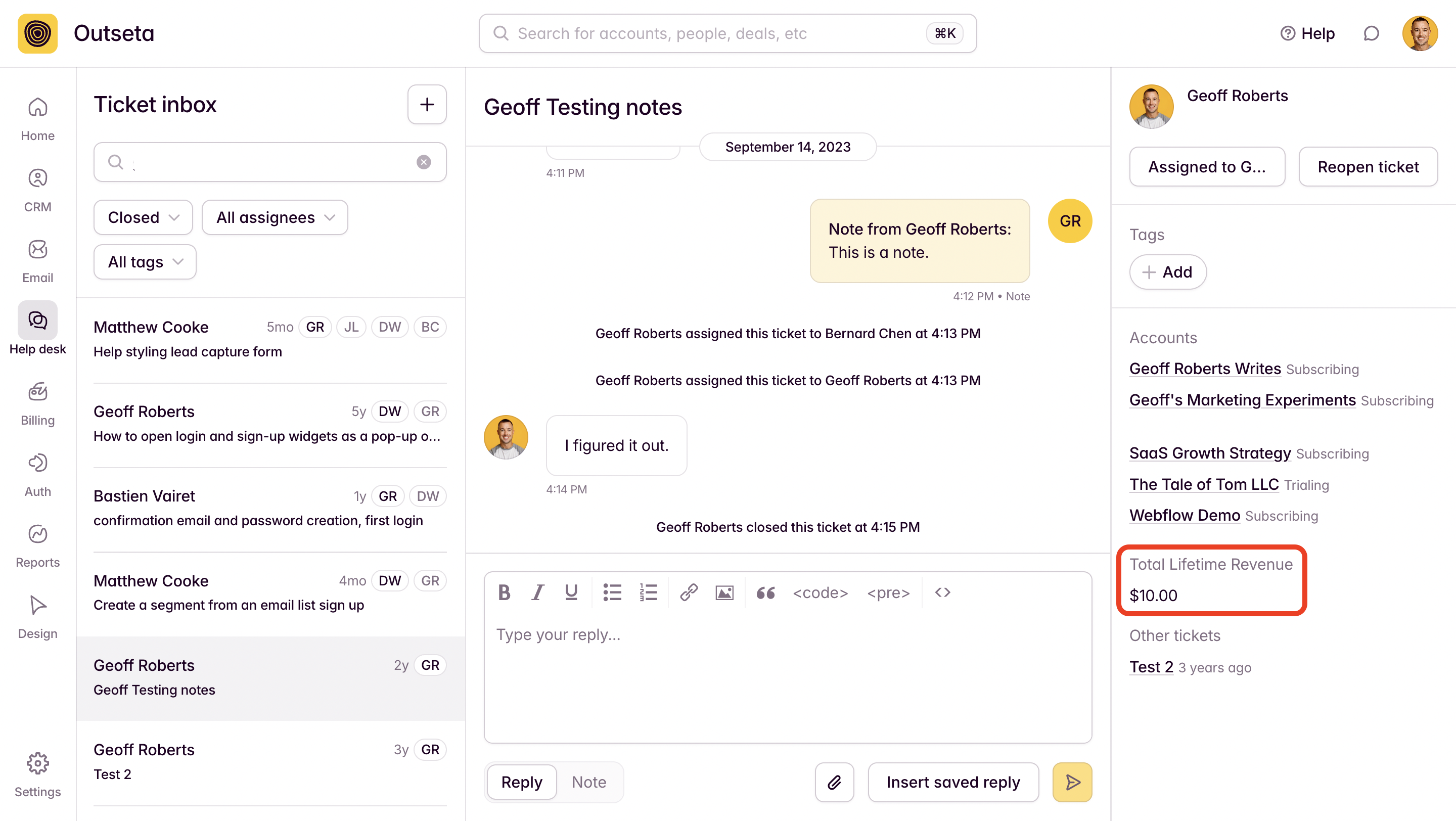
Customer support is customer relationship management for SaaS. Outseta lets you respond to support tickets directly from the platform, with the customer's lifetime value automatically surfaced alongside their ticket. So you're not making decisions about who to prioritize while blind to how much that relationship is actually worth.
10. Publish help documentation without leaving your CRM
When customers ask a question that should be in your docs, you can publish a new knowledge base article right from Outseta. Tightening the feedback loop between your customers and your docs buys you your most precious resource back—time.

11. SaaS metrics tracked natively
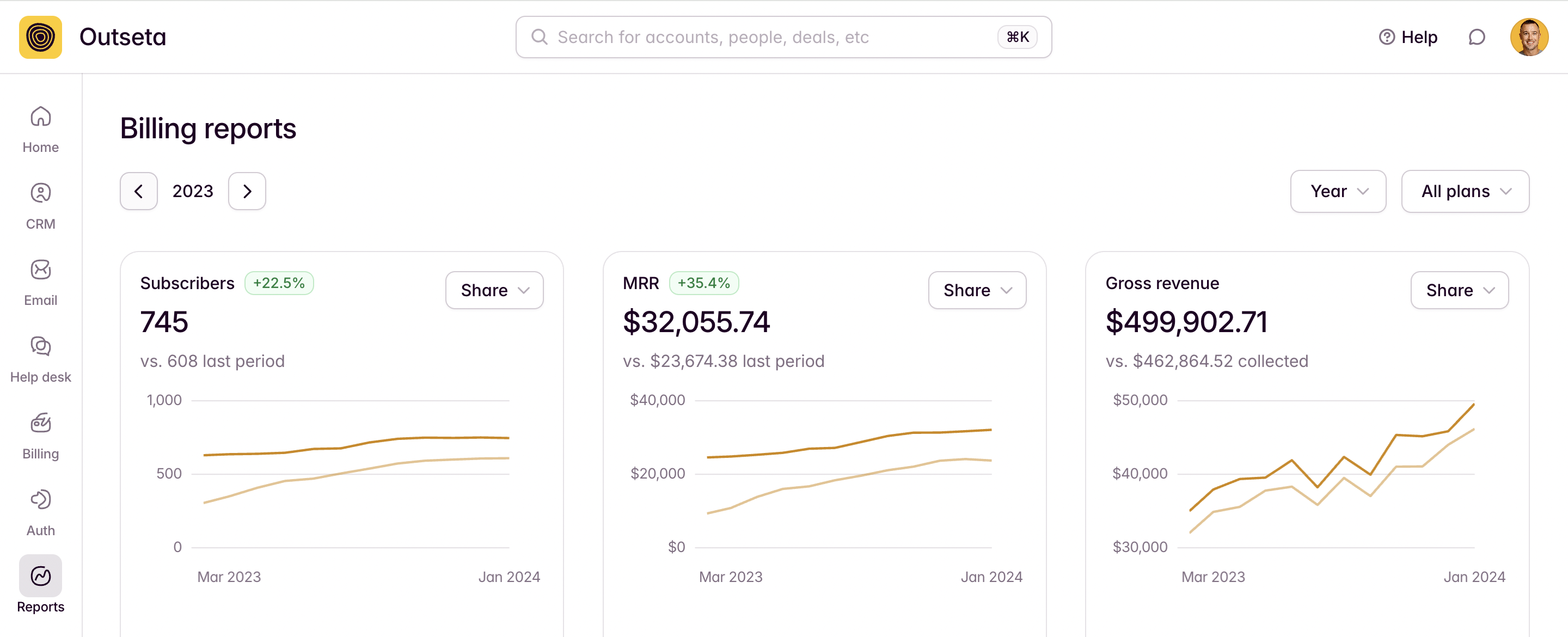
MRR, subscriber count, trial conversion, churn rate—all tracked out of the box. No custom reports to build, no third-party analytics tool to maintain. Your CRM should double as your SaaS metrics dashboard—it's the scoreboard that proves how well you're doing at managing your customer relationships.
12. Cancellation surveys and churn analysis
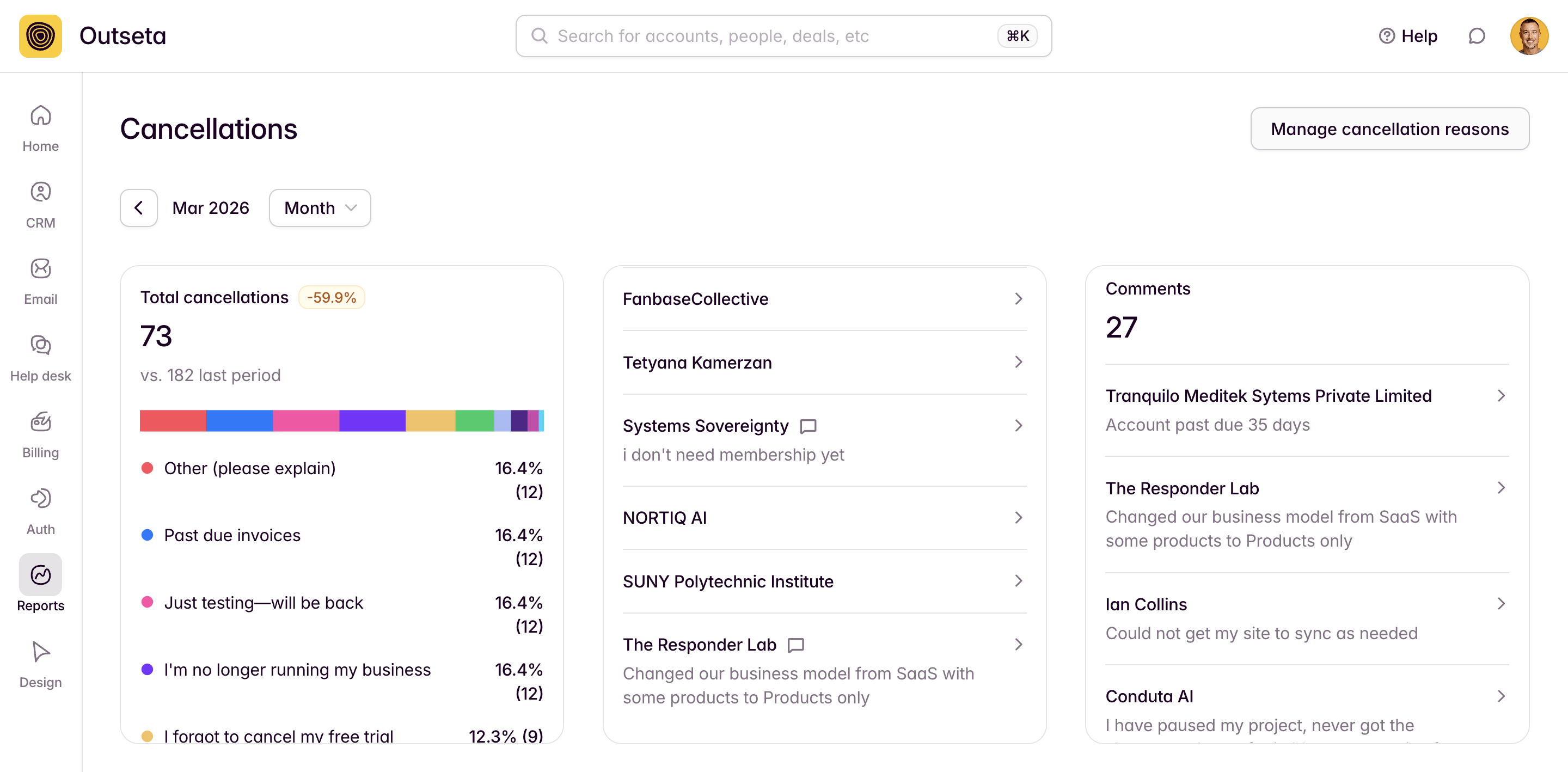
A CRM's job doesn't end when a customer churns—it should help you understand why, and build a plan to prevent it from happening again. Outseta lets you build custom cancellation surveys, report on cancellation reasons, and export that data into AI tools to develop a churn reduction strategy. Retention is the game in SaaS. Your CRM should be helping you play it.
Frequently Asked Questions
What is the best CRM for SaaS companies? The best CRM for a SaaS company is one built around the subscription lifecycle, not a generic sales pipeline. That means native billing integration, product usage tracking, MRR and churn metrics baked in, and SaaS-specific email automation. Outseta is one of the only CRMs purpose-built for SaaS, combining CRM, billing, auth, email, and support behind a single login.
What's the difference between a regular CRM and a SaaS CRM? A traditional CRM manages one-time sales pipelines—or requires a bunch of customization to fit your use case. A SaaS CRM is built from the ground up to manage recurring revenue relationships—tracking free trial conversions, subscription changes, product engagement, churn risk, and LTV over time. Most CRMs on the market are horizontal tools that SaaS companies adapt for their use case. Very few were actually purpose-built for it.
Do SaaS companies need a CRM? Yes—but the right kind. SaaS businesses live and die by retention, not just acquisition. A CRM that only tracks lead-to-close activity misses the majority of the customer relationship. You need one that tracks the full lifecycle: trial → onboarding → activation → expansion → renewal.
Can I use HubSpot as a CRM for my SaaS company? You can—I used it prior to building Outseta. HubSpot is a capable horizontal CRM, but it just wasn't designed with subscription management at its core. Want to know who is logging into your SaaS product on your CRM records? You can, if you build it. That's the recurring theme as you work to adapt to a tool that's not built for your use case.
What should I look for in a CRM for a SaaS startup? Subscription and billing data in the CRM record. Native MRR and churn reporting. Product usage tracking. SaaS email automation for trials, onboarding, and renewals. Support ticket management. Ideally without a separate tool—and a separate monthly bill—for each one.
So what's the move?
Most CRM roundups will point you back to the same list of horizontal tools and leave you to figure out how to make them work for SaaS on your own. Outseta was built specifically for this use case—billing, auth, email automation, CRM, and support under one login, with SaaS metrics baked in rather than bolted on.
If you're in the market for a CRM for your SaaS business, I'd love it if you'd take Outseta for a spin. Try Outseta free for 7 days.
Did I mention there's no contracts or per user fees?
On this page
Get our newsletter
Try Outseta free for 14 days—you'll have access to every feature. Cancel any time.
