Outseta Company Update - May 2026

.png)
Hello there, Old Friend.
Here lies what's new in Outseta, starting with what I believe was the most requested feature of all-time!
New Feature! Two-Factor Authentication (2FA)
We know this one is going to make a lot of people happy—two-factor authentication (2FA) is now live and available for all Outseta customers. To start we've offering 2FA via two methods:
- Authenticator Apps (Google Authenticator, 1Password, Authy)
.png)
Individual users can configure their own 2FA setting from immediately under their email address in Outseta's profile embed. If you'd like to enforce 2FA as a requirement for all of your users, you can do so by navigating to AUTH > SIGN UP AND LOGIN and opening the "Advanced Options" in the Login Settings area.
To security, and beyond!
Documentation: Set up Two-Factor Authentication
New Feature! Tags for Segments and Email Broadcasts
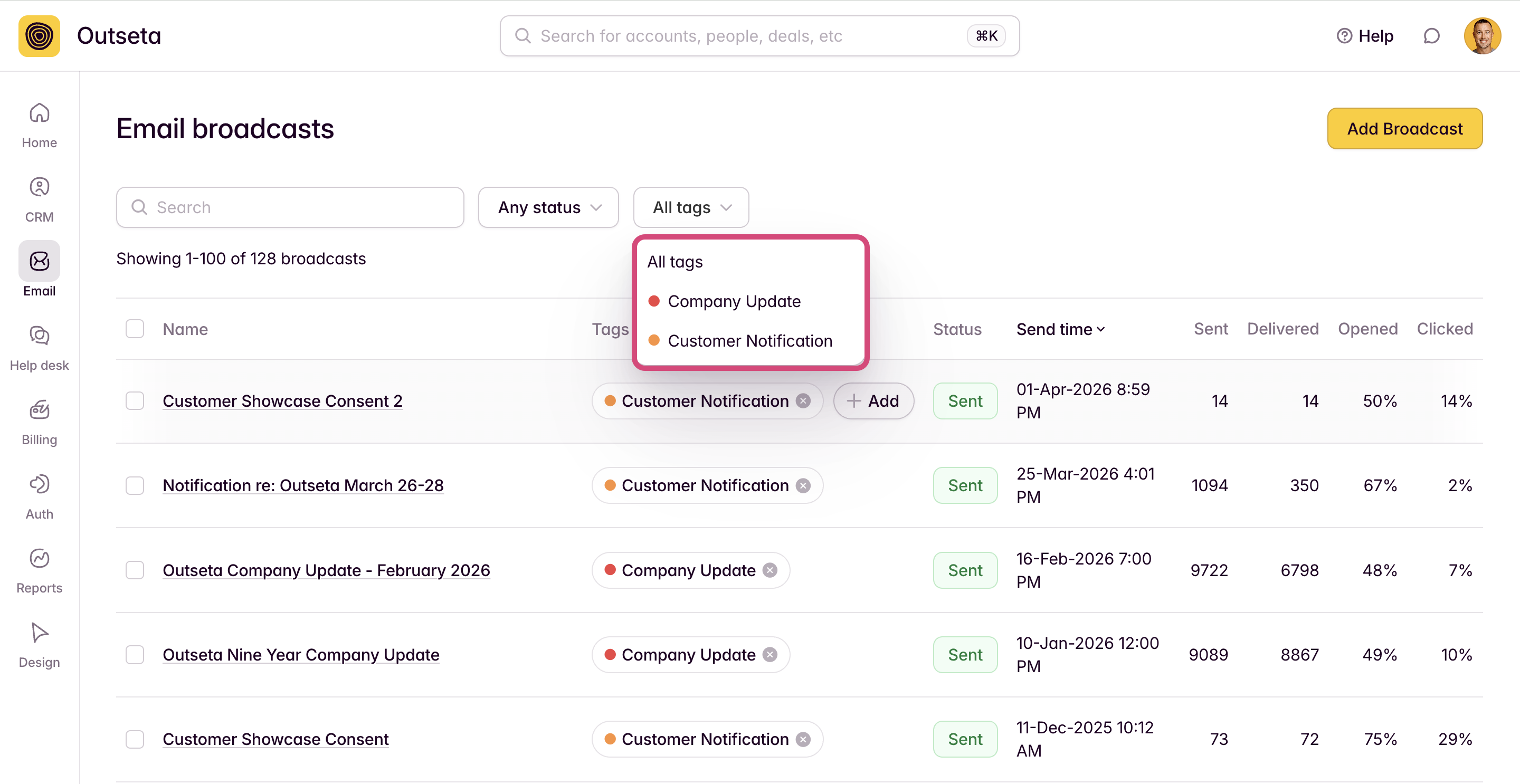
Another feature that was highly requested by Outseta's power users—this one makes it easier for you to stay organized and find what you're looking for if you have a large number of segments or email broadcasts.
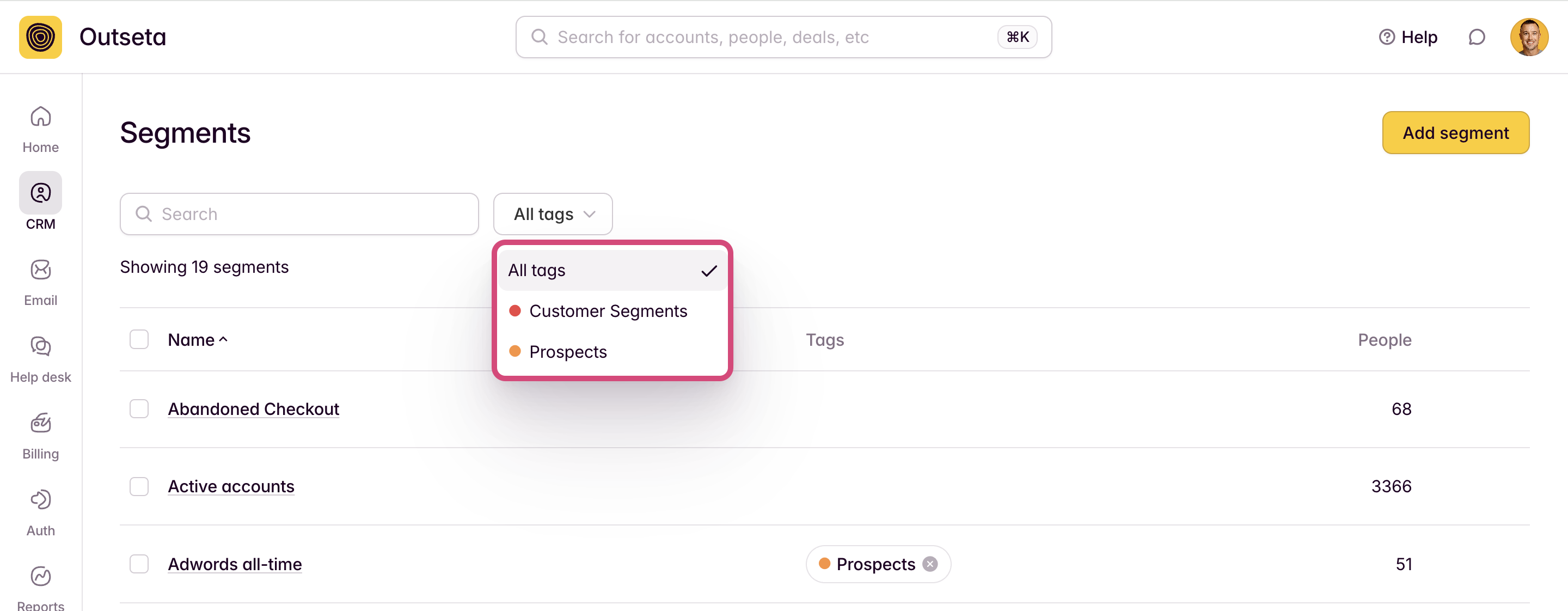
You can now create "Tags" and tag any segment or email broadcast—making it easy to differentiate between different types of messages or different types of segments. Once your tags are added, you can filter the CRM > SEGMENTS and EMAIL > BROADCASTS pages by these tags to more easily surface what you're looking for.
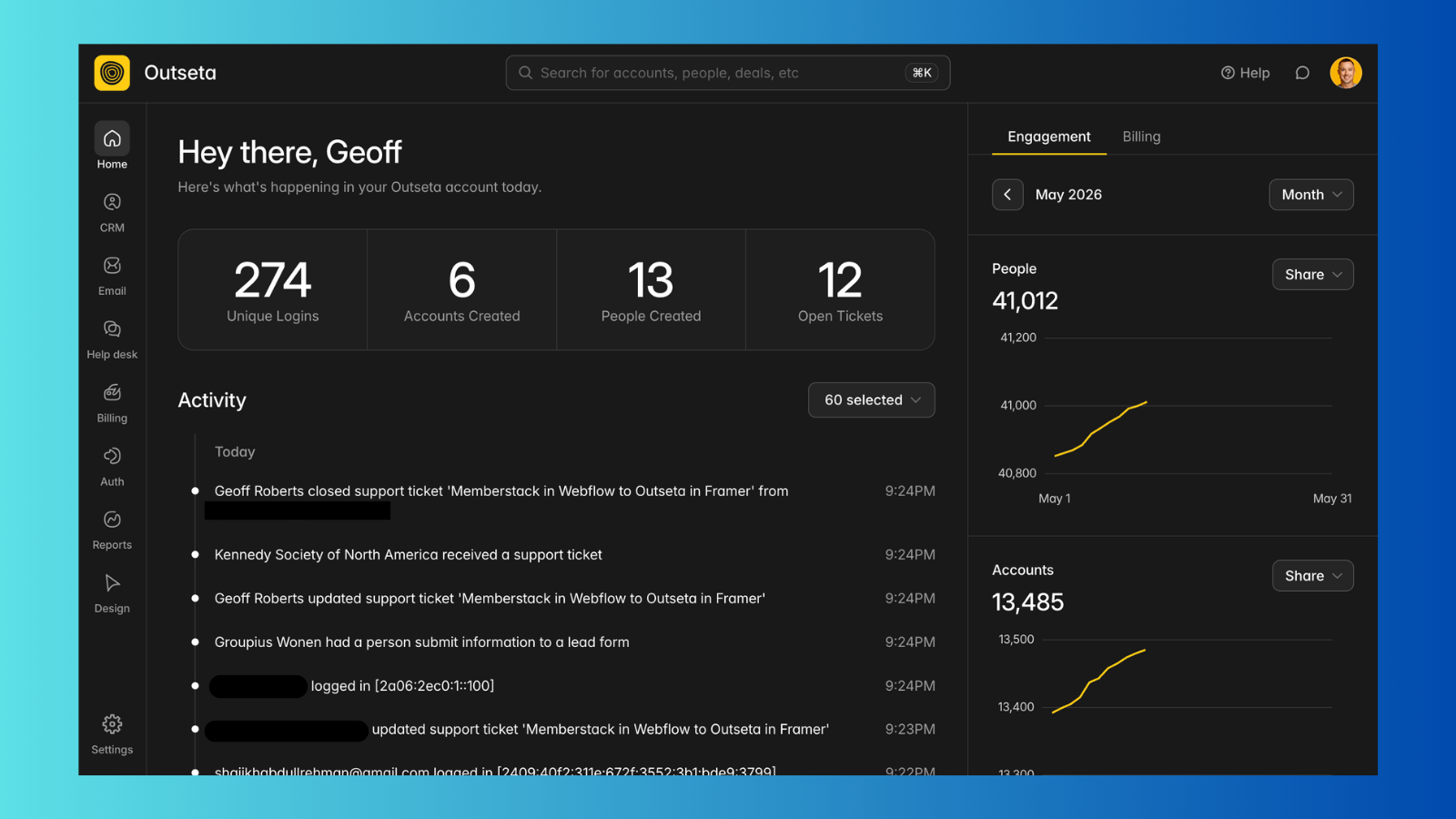
New Feature! Outseta now supports dark mode
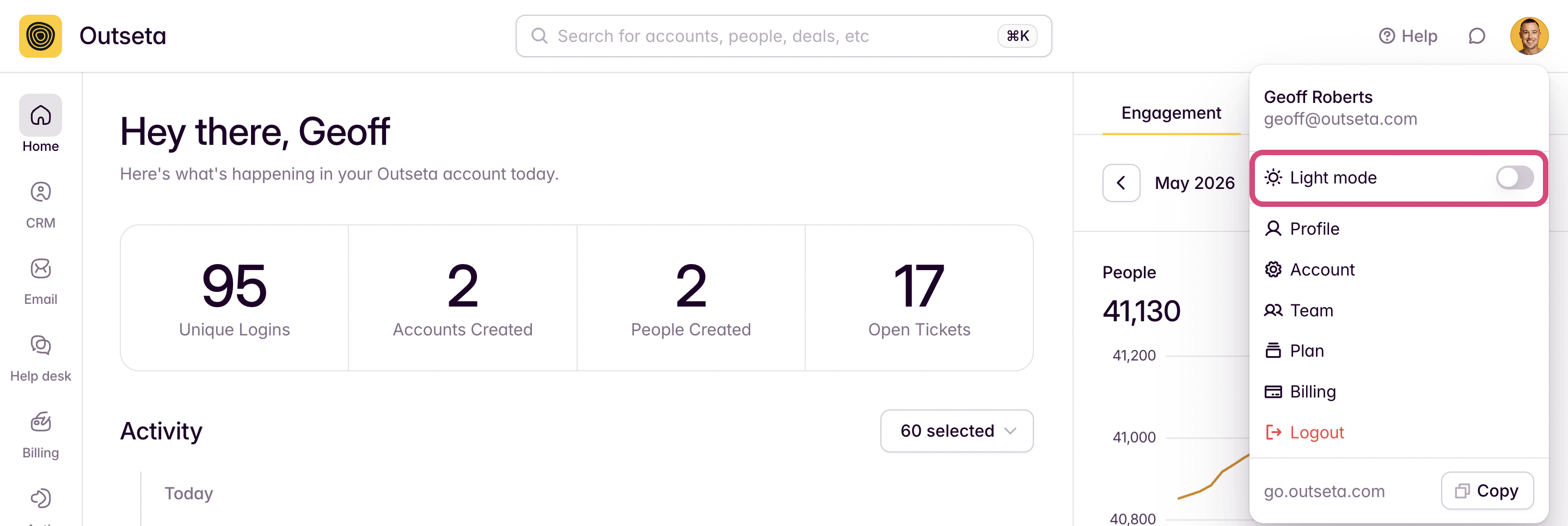
Dare I suggest that the endless stream of jokes about the importance of offering dark mode is perhaps, overplayed? Nonetheless, you can now toggle your Outseta account between light mode and dark mode freely.
To do so, click on your profile image in the top right hand corner of your Outseta account—you can set your preference from there. Whatever you choose is cached only for you, so it won't affect other users within your organization.
New Feature! Emails now support account based merge tags
While Outseta has always allowed you to personalize your emails with merge tags, only data stored on your "People" records was accessible. The challenge with making "Account" properties available via merge tags is that any given "Person" can be associated with multiple "Accounts". As a result, when emailing a person there were not clearly defined rules in terms of which "Account" data should be pulled from.
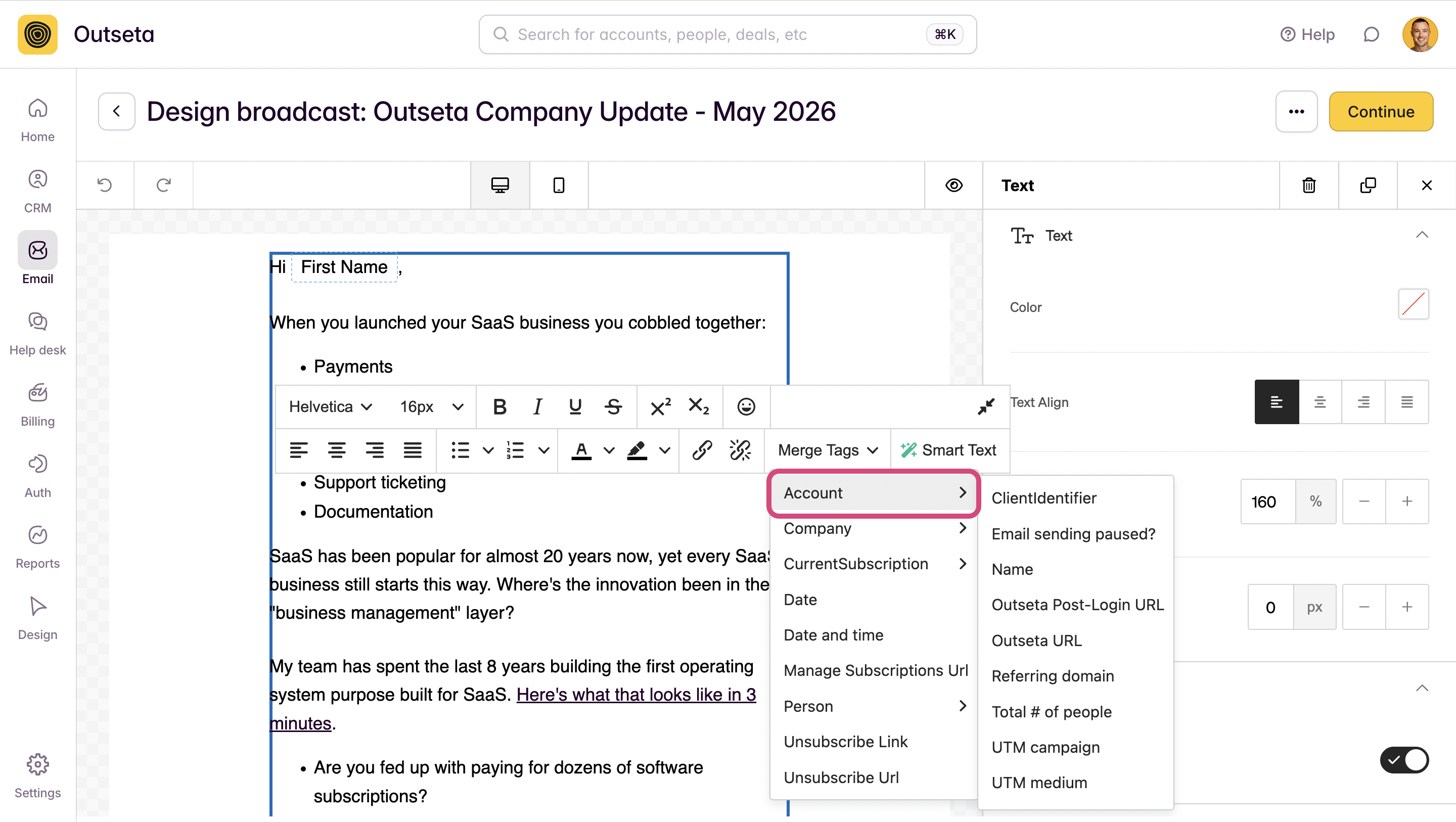
With this update, account properties are now available to pull into your emails as merge tags. We're solving the problem of a person who may be associated with multiple accounts as follows:
- We first look to see if the Person is the Primary Contact on an account. If they are, we prioritize that account.
- If the person is the Primary Contact on multiple accounts, we consider if the email is being sent to a segment and prioritize any account that meets the segment's criteria.
- If we still have multiple matches, Outseta will prioritize the account that was created first.
Improved UX around canceling subscriptions immediately
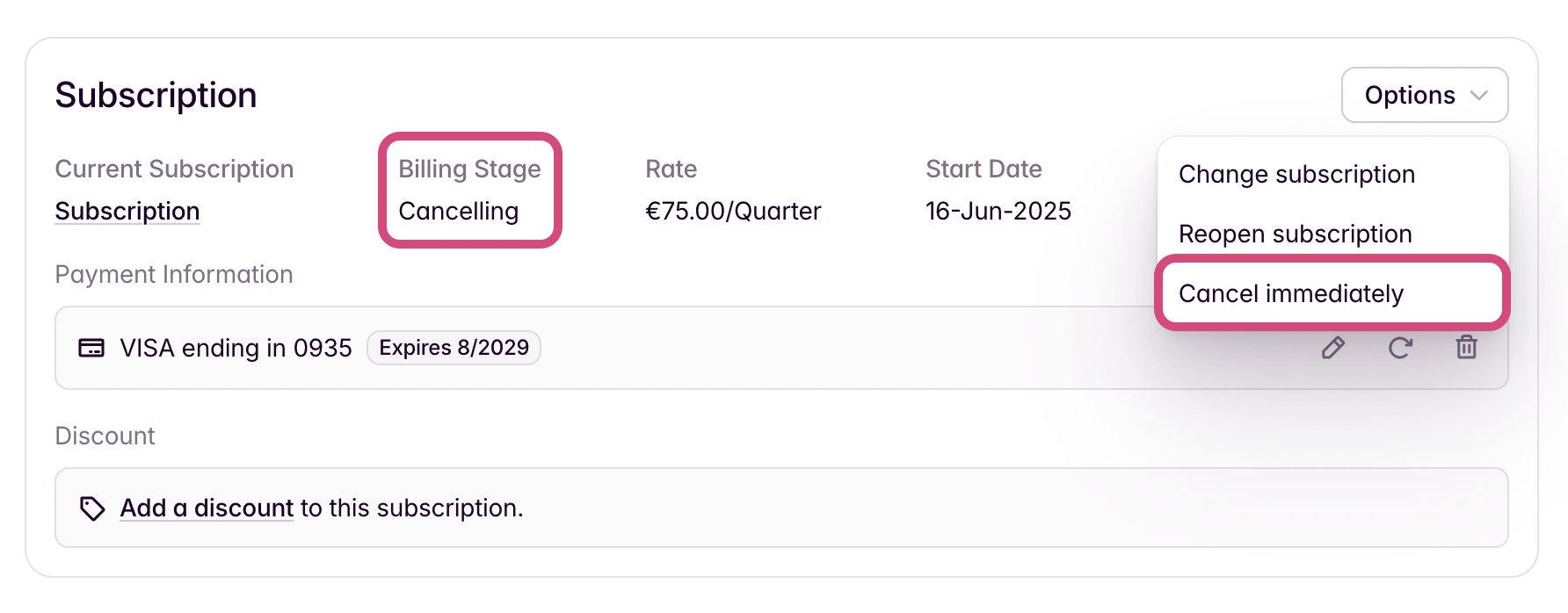
This one is just a small usability improvement—if someone has already requested to cancel their subscription but has time left on their existing subscription period, their account will correctly show as "Canceling." But if you wanted to immediately "Expire" the user's account (to end their subscription immediately), you previously had to temporarily reopen their subscription and then choose the "Cancel Immediately" option.
We've changed this workflow so you can now choose the "Cancel Immediately" option even if the account is already in a "Canceling" stage.
Conversion optimization improvement! Payment Information is no longer retained for one-time purchases
We made an update so that Outseta does NOT retain a customer's payment information if they only purchase a one-time product—previously, our default behavior was to retain payment information when any purchase was made.
This is a conversion optimization improvement for those of you who sell one-time products. When payment information is retained, required legalese is added to the checkout form:
By providing your card information, you allow BUSINESS NAME to charge you card for future purchases in accordance with their terms.
By not retaining card data, this language (which is often confusing to customers who purchased a one-time product) no longer renders at checkout.
That's all for this round of updates—but we'll be back in your inbox before you know it...
Try Outseta free for 7 days—you'll have access to every feature. Cancel any time.

On this page
Get our newsletter