Outseta Company Update - February 2026

.png)
Warning—this update covers a lot. There are new features, new ways of building with Outseta, and new tutorials to share. Choose your rabbit hole wisely!
Let's go.
New feature! Outseta Agent Toolkit
First and foremost—how people are building websites and web apps is changing rapidly right now. And whether you're non-technical and building a website for the first time or a software engineer that's building a SaaS product, AI tools are being used in the "building" that much more.
Outseta is uniquely suited to help people that want to build with AI—enabling them to build without needing to cobble a bunch of tools to launch their business. That's always been our promise. But as how people build continues to evolve, we need to "skate to where the puck is going"—and that starts with enabling those of you who want to build with AI as much as possible.
This is a big topic, so we've dedicated an entire post to it—here's how we're enabling you to build with Outseta and AI.
If you explore nothing else, check out the Outseta Agent Toolkit—it essentially gives you 24/7 access to an expert Outseta developer. It's trained on our documentation, our APIs, and thousands of support cases to help you build directly in Cursor, Claude, or whatever AI building tools you prefer.

New resource! Video course template for Webflow

Second, we've launched a new flagship template for anyone that wants to build an online course with Outseta and Webflow. This template packages up everything we've learned by watching some of the internet's most successful course creators build their businesses, with features ranging from personalized dashboards to fully automated course progress tracking.
Here's a full overview of our online video course template's features.
Clone the template as a starting point and then make it your own with the full design capabilities of Webflow.
New resource! Outseta customer showcase
I'm really excited to share this one—the Outseta customer showcase! Here you'll find over 80 examples of businesses built on Outseta—ranging from membership sites, to SaaS products, to online courses and productized services. It's insanely cool to see so many of our customers' creations in one place.
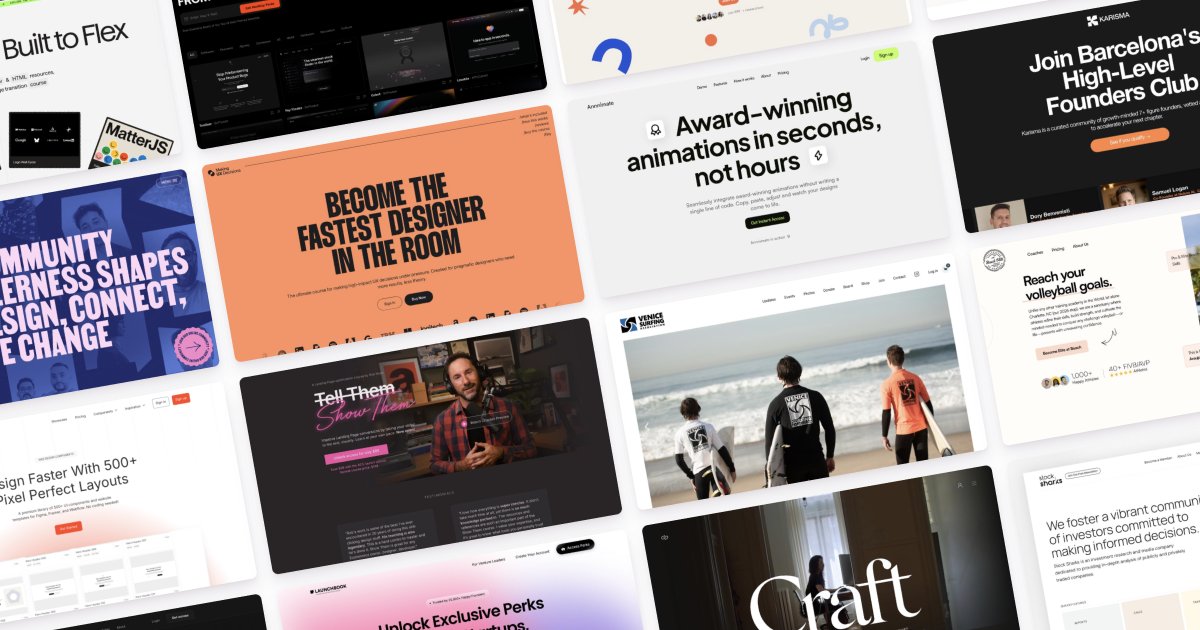
This project came from two places—first, both prospective customers and our existing customers have frequently asked us for examples of sites similar to what they're hoping to build. The customer showcase serves as a great place for you to go for inspiration.
Second, as we've discussed our own marketing strategy at Outseta a theme we keep returning to is "make our customers the heroes of our marketing."
Outseta is ultimately a series of tools. Nobody wants to celebrate a hammer or a saw—they want to see the house that the carpenter built!
This project is a step towards that objective.
New resource! The 2026 Outseta product demo video
Sticking with the aforementioned theme we asked one of our customers, Daniel Wirtz, to create the next Outseta Product Demo video for us. It gives a fairly comprehensive overview of Outseta's features, from Daniel's perspective.
If you ever want to share Outseta with a friend or colleague, this link is a good way to do so: https://www.outseta.com/demo
Thank you, Daniel!
New tutorial! Add a member application and screening process
We also published a new tutorial on how you can build a really effective and automated process for screening potential members with an application. Many of you may have seen this before—this method and series of automations was pioneered by Justin Welsh, who went on to achieve fairly dizzying levels of internet fame.
Here are step-by-step docs on adding an application process to your sign up flow.
New feature! Preselect add-ons when building sign up forms
Outseta's sign up form builder (head to AUTH > EMBEDS > SIGN UP) now allows you to pre-select add-on products when building your sign up forms. Be sure to choose "Show" plan options, which adds a secondary step to your checkout process where your add-on will be preselected.

New feature! Add reusable blocks to the email editor
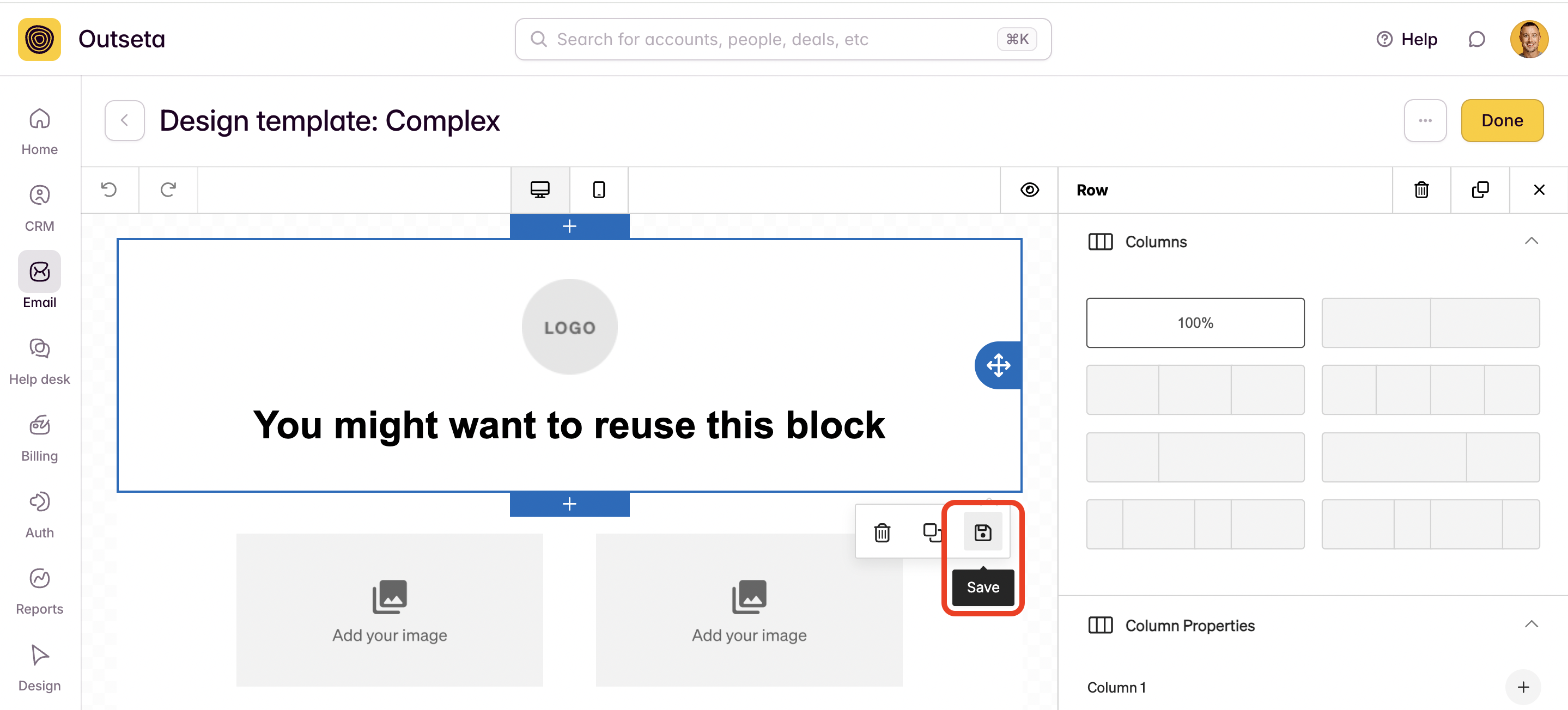
This update allows you to create and save reusable "blocks" when you create an email template with our email editor. Maybe you have an email footer section or a call-to-action block that you want to inject into a wide variety of emails—this is the feature to use. Once you've saved a block, you can easily add that block to any of your emails by choosing the "Blocks" option in the email editor.
New feature! Require responses to your cancellation survey
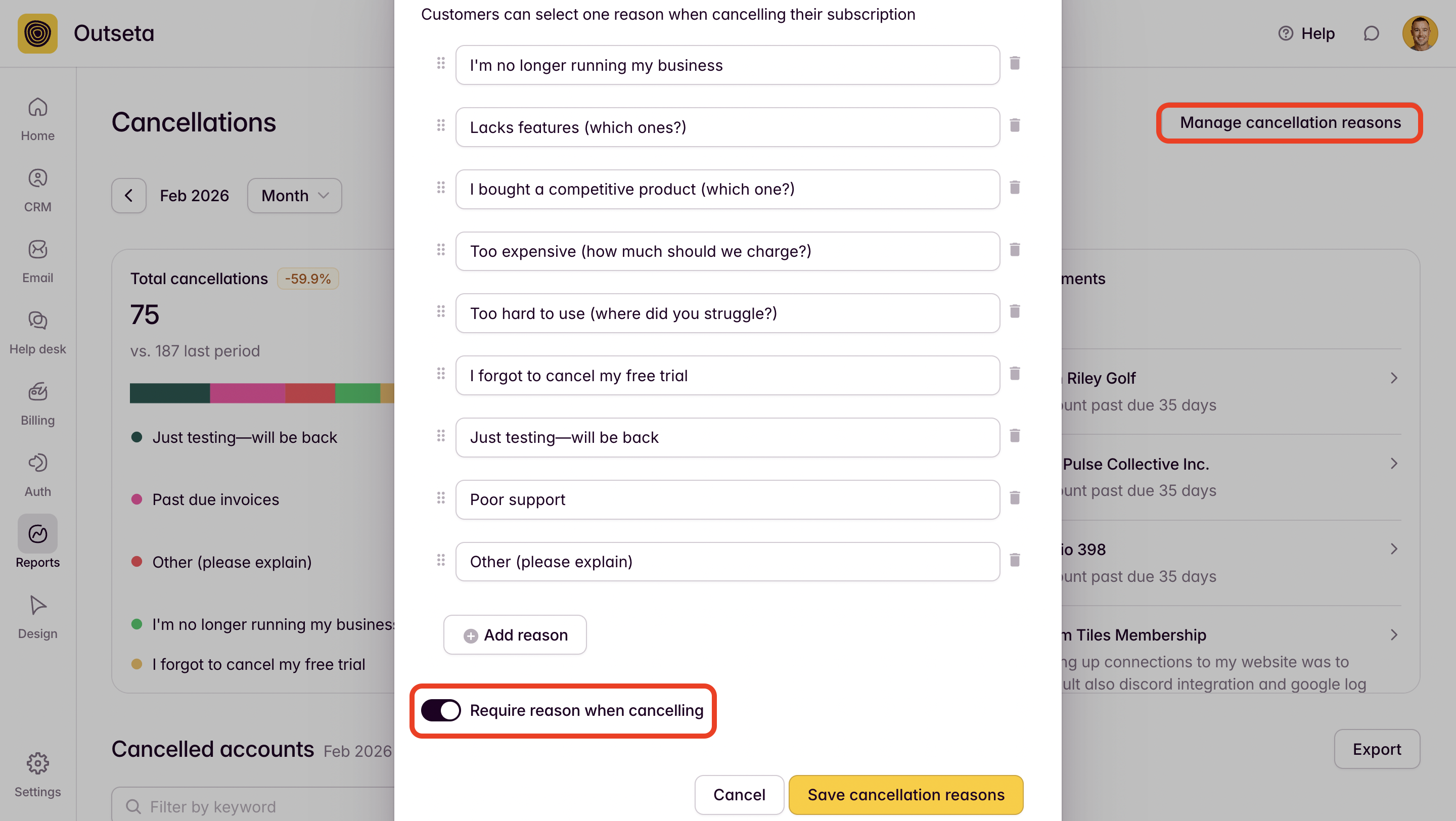
We added this one in direct response to customer feedback—you can now (optionally) require that users select a cancellation reason when they cancel. Use this feature to get more feedback on why customers churn.
New feature! Quick edit CRM properties
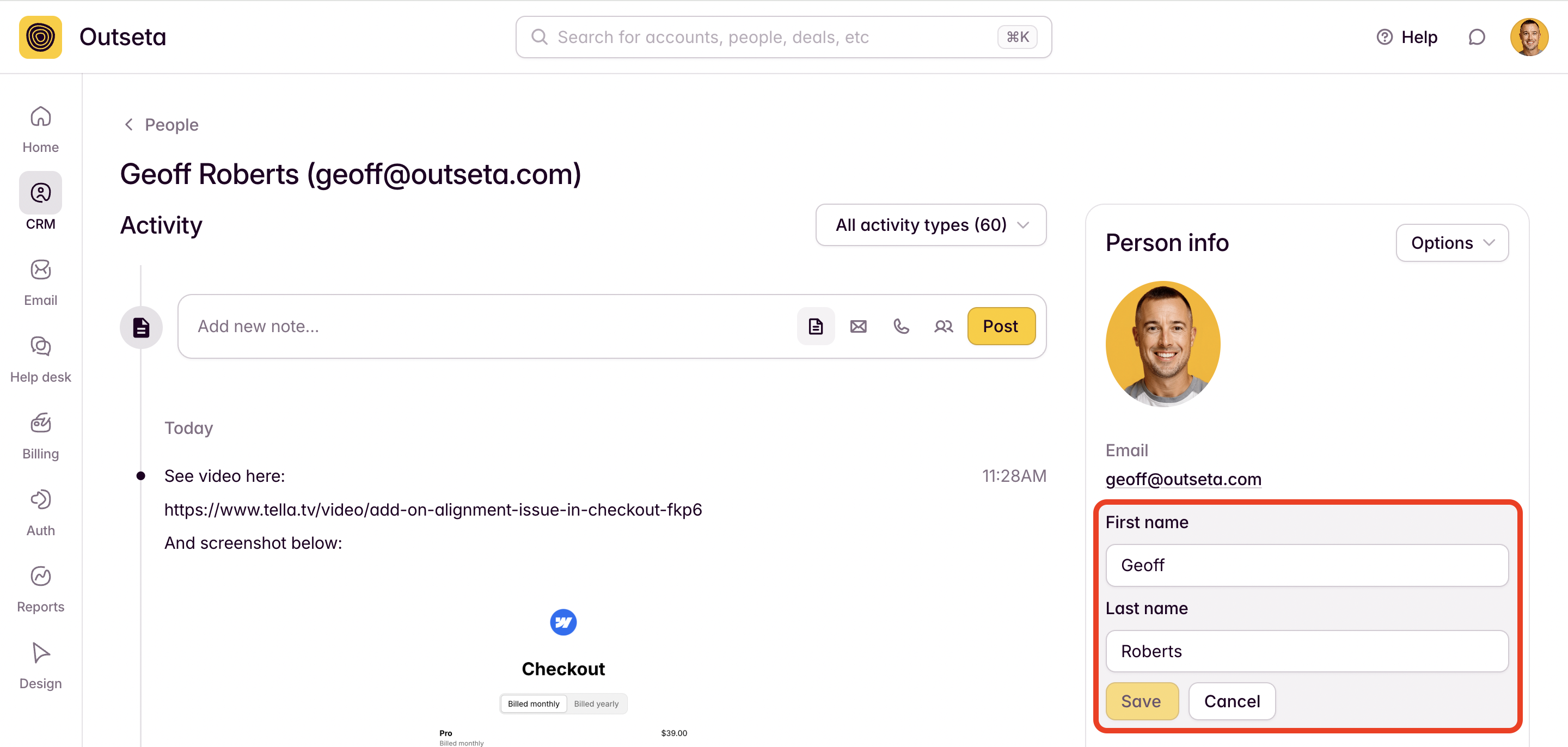
This one is a small usability improvement that was initially recommended by Anthony Castrio (thank you, Anthony!). It allows you to quickly edit any individual property within the CRM, without needing to edit and save changes to the entire CRM record. Just click directly on the name of the CRM property you want to update to make a quick edit.
New feature! Login with Google AND email/password
And in the "we should have done this all along" category, the winner is...
Users can now login with Google AND an email/password combo. Previously users could login with Google OR an email/password combo, but we made you choose one authentication method or the other.
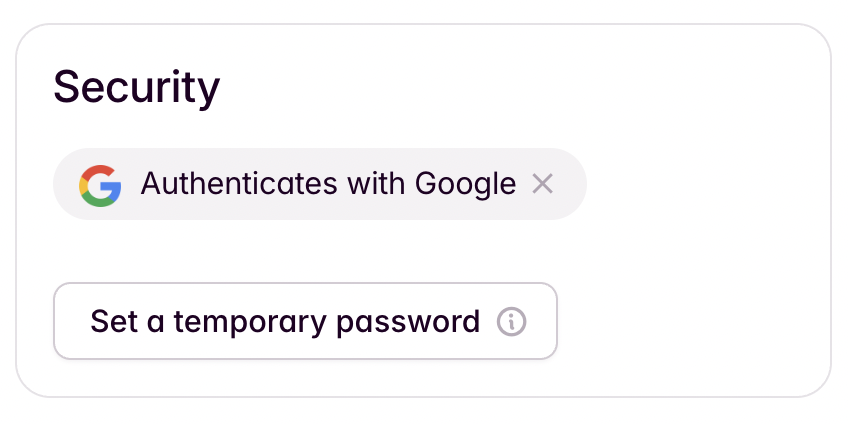
What this means practically is you can now set a temporary password for users who initially signed up with Google. Also, if users who initially signed up with Google try to rest their password they now receive an email letting them know that they typically login with Google but can also establish a password if they so choose.
That's all we've got for now. Until next time!
Try Outseta free for 7 days—you'll have access to every feature. Cancel any time.

On this page
Get our newsletter