Enabling Our Customers To Build With AI
10 tangible steps we’ve taken to help our customers build with AI and Outseta

.png)
In 2016 we set out to build a platform that delivered all of the core infrastructure needed to run a SaaS business—our target market being developers.
Then in 2020, we got pulled into the world of “no-code” as non-technical builders realized that the integrated nature of Outseta was hugely valuable to them. We went through many cycles of learning how to make a product initially designed for the technical accessible to the non-technical, and only when we figured that out did we really start to grow.
Now in 2026, we’re seeing AI change how both our technical and non-technical customers are building. And internally, we’re talking a lot about something we’ve known for a long time—we have customers who integrate Outseta very differently.
- No-Code Integration (Client-side, attributes)—These customers have a website, they want to charge for access to content on their website, and Outseta protects their content with client side gating. We’ve made this so simple, nearly anyone can do it.
- Full-Stack Integration (Server-side, SDKs)—These customers are seasoned technologists. They may be building SaaS products, or membership sites that need server side protection. Their sites are integrated with backend databases, and they’re increasingly building in tools like Claude and Cursor.
Our own business represents the latter, and it’s clear that we need to skate to where the puck is going in order to enable our more technical customers as they increasingly build with AI.
This article is a detailed breakdown of 10 steps we’ve already taken to enable our customers to build with tools like Claude and Cursor—as well as to generally better support the “AI fluent” builder.
#1 - We started rendering our knowledge base in HTML instead of Javascript
While we’re not looking for any awards here, the first version of Outseta’s knowledge base rendered content using Javascript. While AI tools likely didn’t struggle much with understanding that content, generally rendering content with static HTML is considered preferable for tools that crawl your site. We changed our knowledge base to render static HTML as a starting point.
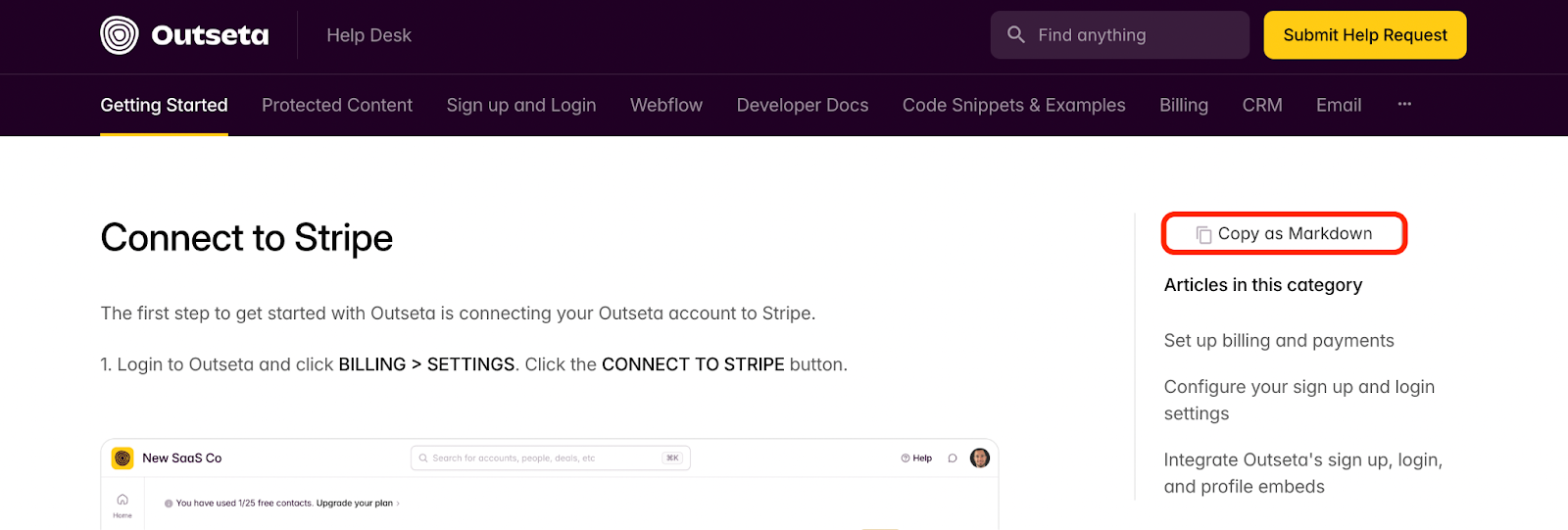
#2 - We added Markdown versions of our docs
Next, we added a Copy as Markdown option to all of our documentation—the goal here was to make Outseta’s docs easier to ingest for LLMs and AI code editors.
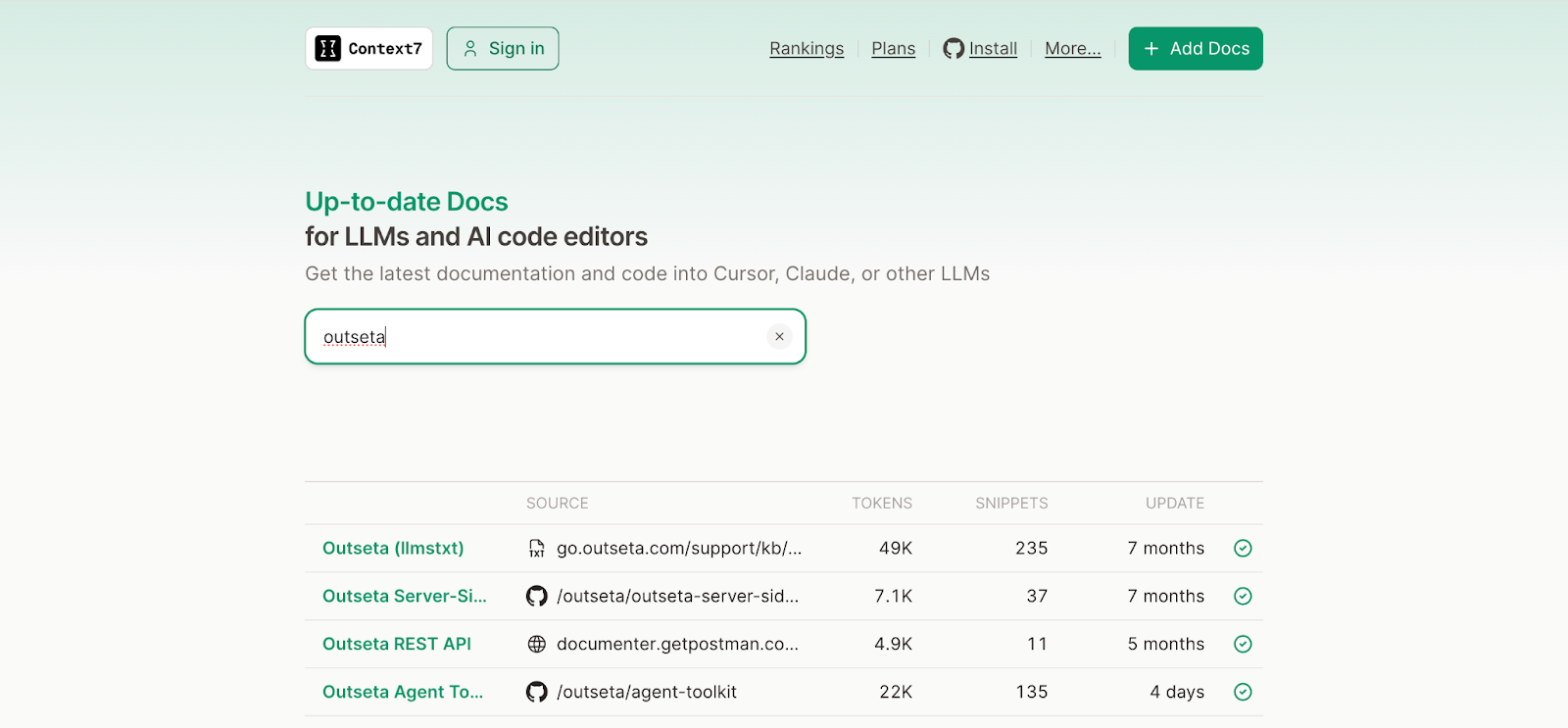
#3 - We added Outseta to Context7
Context7 is a tool that allows you to get your documentation and code examples into LLMs and code editors—so you can make sure they have up-to-date versions of your docs. We published an Agent Toolkit, server side demos, and our knowledge base docs on the site.
#4 - We created an MCP server for AI agents
The Outseta MCP server allows agents to interact with your Outseta account and do things like create subscription plans, add subscribers to email lists, or query your account data.
Documentation: https://go.outseta.com/support/kb/articles/z9M2EyW4/outseta-mcp-server-for-ai-assistants
#5 - We launched the Outseta Agent Toolkit
This is the big one and something that we’re sharing for the first time today. The Outseta Agent Toolkit now encompasses the Admin MCP Server, as well as an additional MCP Server focused on helping developers build with Outseta.
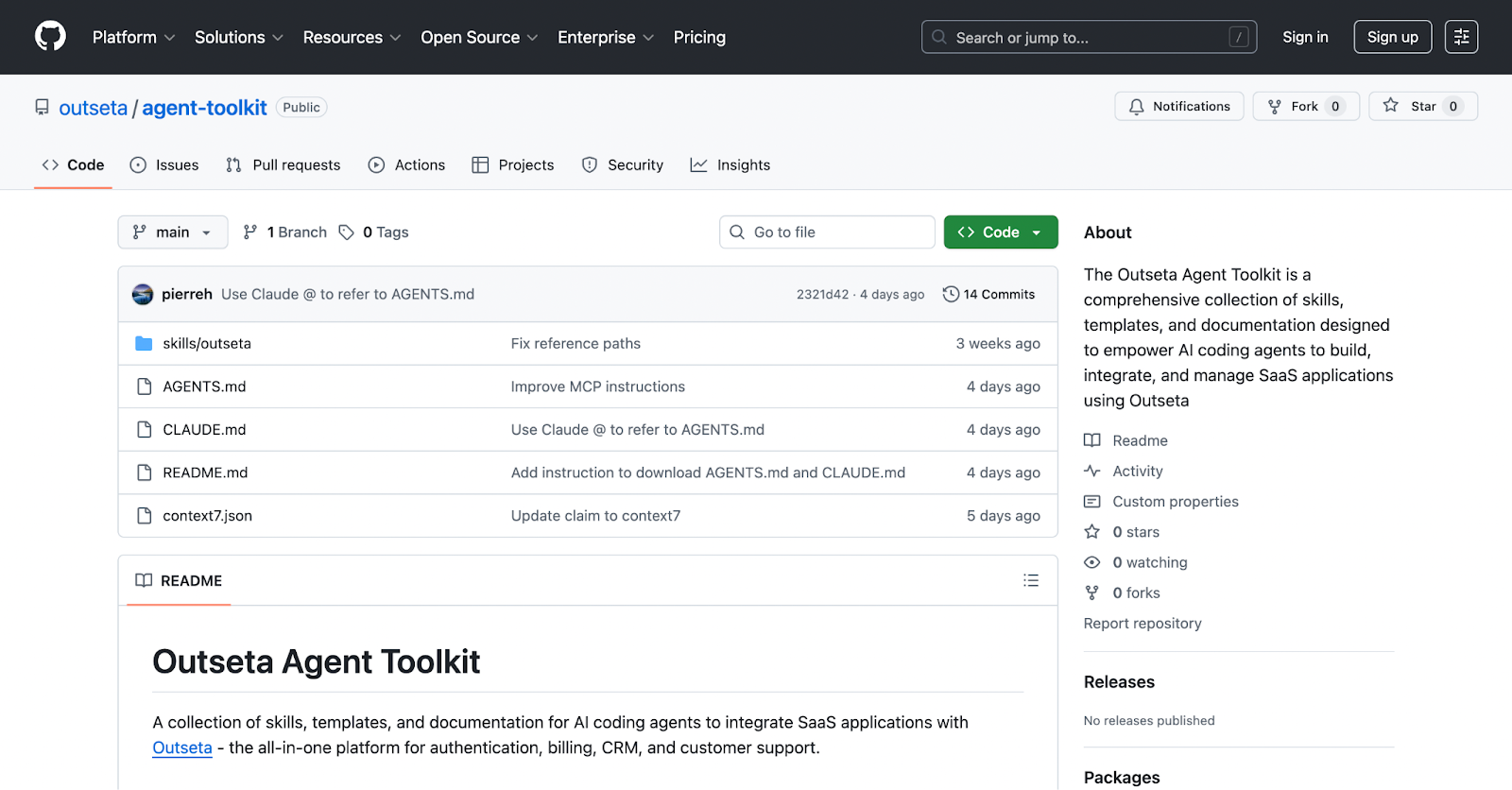
Github: https://github.com/outseta/agent-toolkit
It provides a collection of skills, templates, and documentation for AI coding agents to integrate Outseta when building SaaS applications or server side protected content sites.
#6 - We created a AI coding demo app with server side protected content
Both AI and humans love examples, so here’s one:
StudyStack - An AI Coded Course Platform
This site demonstrates server side protected content working with Convex as a backend database.
Github: https://github.com/outseta/outseta-vibe-coding-CMS
#7 - We created a demo on using Outseta with Lovable
While Lovable can be used to build more full-stack applications with tools like Supabase on the backend, this demo is much more of a “no-code” integration and treats Lovable more like a website builder.
Payments, Auth, and Protected Content in 15 Minutes with Outseta + Lovable
This is designed to be a very “entry level” example for newer vibe coders who just want to get started with dead simple prompts.
#8 - We created a React, Supabase, and Outseta demo
Modern web development runs on React—it’s what vibe coders reach for. Supabase has clearly become the most popularized backend amongst vibe coders. Hence, we created a demo app showing how to integrate Outseta, React, and Supabase.
Github: https://github.com/outseta/outseta-supabase-react-feedback-fort
#9 - We created a “chat” trained on Outseta
We’ve also trained a chat tool on our knowledge base content, APIs, and support ticket interactions. This will soon be available to users who want to “Chat with AI” on our knowledge base.
We’re viewing this mostly as meeting the AI builder where they are at—rather than navigating through API docs and knowledge base articles, you can now ask questions about Outseta directly in a conversational format.
#10 - We’re generating sample responses to support tickets
We don’t view AI chat as a replacement for human support. Frankly, much of the support that we get at Outseta is highly technical, nuanced, and human-centric support has become a differentiator for our business. If you want to submit a support ticket and talk to a human, you’ll always get a human response.
What we have done behind the scenes is start populating an AI generated response to support queries as a “Note” on the ticket that can be reviewed by our team. This is never sent directly to the customer, but it gives the person tasked with responding to the ticket a starting point in terms of answering the question. But it’s always a human who actually responds.
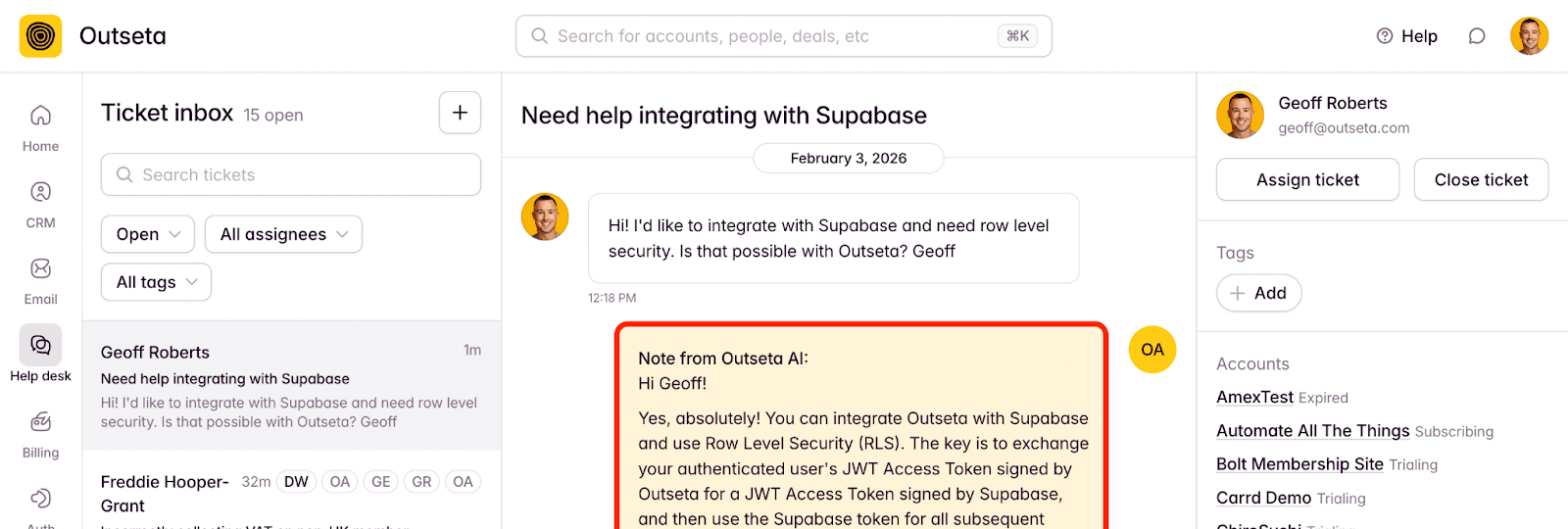
We’ve taken this approach of NOT having AI respond directly to our customers for a few reasons:
- We think the AI generated notes are hugely valuable in training new members of our team on how to respond to different types of support queries.
- Quality control—we never want to give our customers a lousy, frustrating experience with AI generated answers. We’re operating this way and continuously validating which answers are good / versus bad in order to make sure our AI is insanely good at responding to our customers’ questions.
- We’re consistently testing the Ai generated responses from different AI models—our team can upvote / downvote the proposed answers, giving us better data on which models perform best.
What’s Next
In reviewing this list, it’s funny that many of these items are relatively new but already don’t perfectly fit the direction of “AI enablement” that we see as the right one. That’s the speed at which all of this is changing.
While we won’t get it all right, we continue to believe that Outseta is uniquely suited to provide the infrastructure that so many building with AI need—without needing to cobble together so many tools. That’s always been our promise.
If you want to start realizing that today while building in Claude or Cursor, check out the Outseta Agent Toolkit and let us know what we should build next.
Try Outseta free for 7 days—you'll have access to every feature. Cancel any time.

On this page
Get our newsletter