Outseta Company Update - August 2026

Alright! I must admit, our team is a little bit proud of this month's update. We released the two most requested features in our backlog as well updates to our API and MCP server that make all of the primary actions you can perform within our software also accessible programatically.
Let's get to it.
New Feature! User roles and permissions 👥
There's no other way to say it—we're starting to see larger companies use Outseta. As such, the single biggest factor that had been holding larger companies back from adopting our product was the lack of user roles and permissions, which restrict what any given user can see and access within both our software and via Outseta's API.
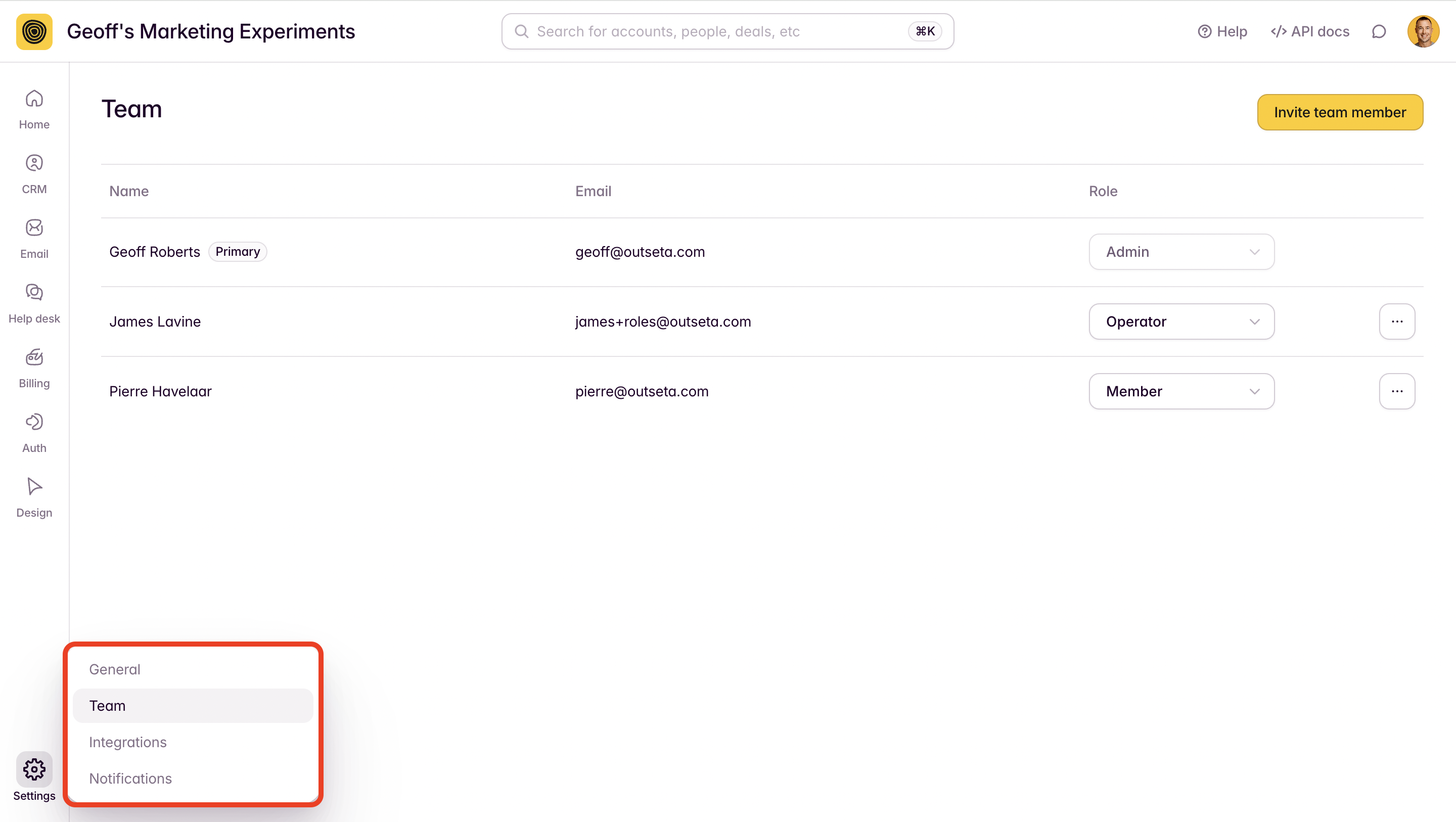
But this feature isn't all about bigger customers—it's useful to anyone who might have freelancers and contractors working within their business. If you don't want to give those team members full access to the data and tools in your Outseta account, this feature is for you.
You can access the user roles and permissions feature within your Outseta account by navigating to SETTINGS > TEAM.
Documentation: Configure user roles and permissions
New Feature! Passwordless / Magic Link authentication 🪄
Outseta now supports passwordless (sometimes called "Magic Link") authentication. If you enable this feature, your login forms will include the ability to request a login link sent via email as opposed to entering a password. Click the link in the resulting email and BOOM, you're authenticated.

Documentation: Add passwordless / Magic Link login
New Feature! Draft and send email broadcasts with the MCP server 📧
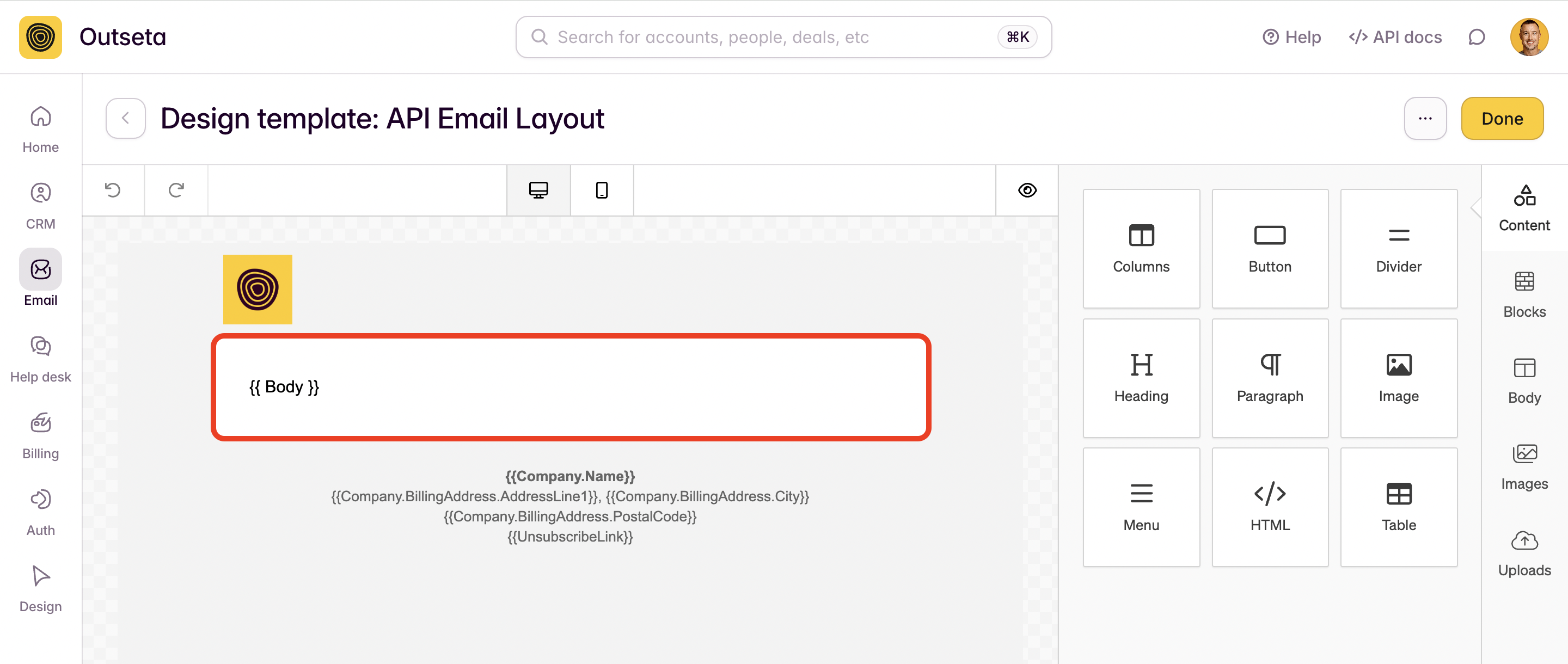
We've added APIs and updated our MCP server so that you can now programmatically draft, schedule, and send emails via Outseta's MCP server. This feature is particularly powerful for anyone who wants to write content collaboratively while working in an AI assistant like Claude, then push that content immediately into Outseta as a drafted email. This opens up a lot of possibilities for users who want to automate the creation of newsletters, too.
Documentation: Draft and send emails programmatically (via API or MCP)
New Feature! Draft and publish knowledge base articles with the MCP server 📜
Just as you can draft emails via the MCP server, you can also now draft and publish content to your knowledge base as well. Once connected to Outseta's MCP server, just tell your favorite AI assistant to draft a knowledge base article and include:
- An article title
- The knowledge base category to assign the article to
- The content of your article
This is useful in accelerating the creation of documentation for anyone who prefers to work in AI tools.
New Feature! Segments based on cancellation reasons ❌
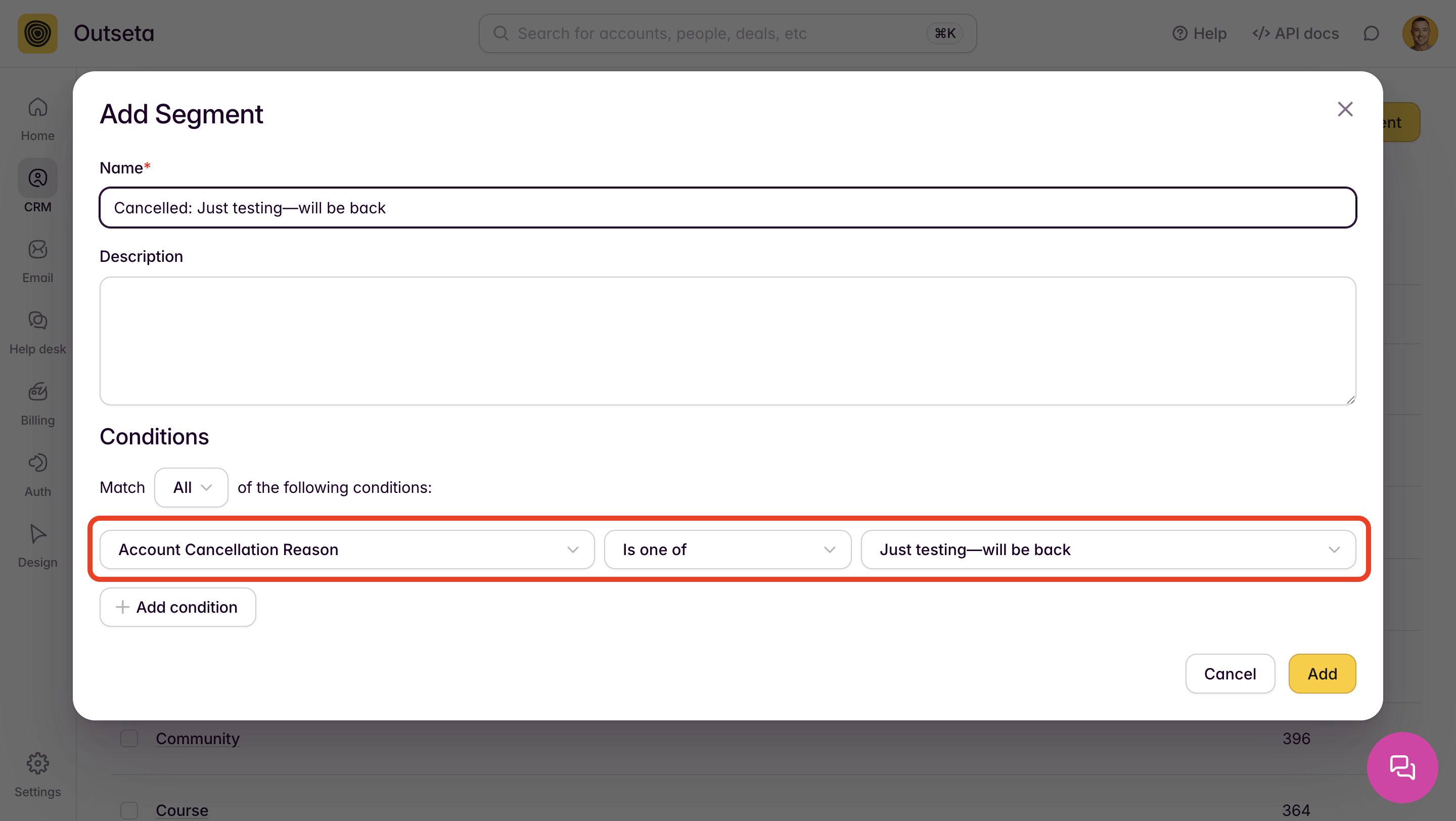
You can now create a Segment based on the cancellation reasons that you customize in your cancellation survey served up by Outseta. This is super useful if you want to send different automated emails to users based on why they chose to cancel.
For example, you might want to offer a discount to customers who cancelled citing that your product was "Too expensive" or offer a 1-on-1 onboarding call to anyone who cancels because your product was "Too hard to use."
Thank you to Ilja from Osmo.Supply for this suggestion.
New Feature! Resend emails from the sent log 🔁
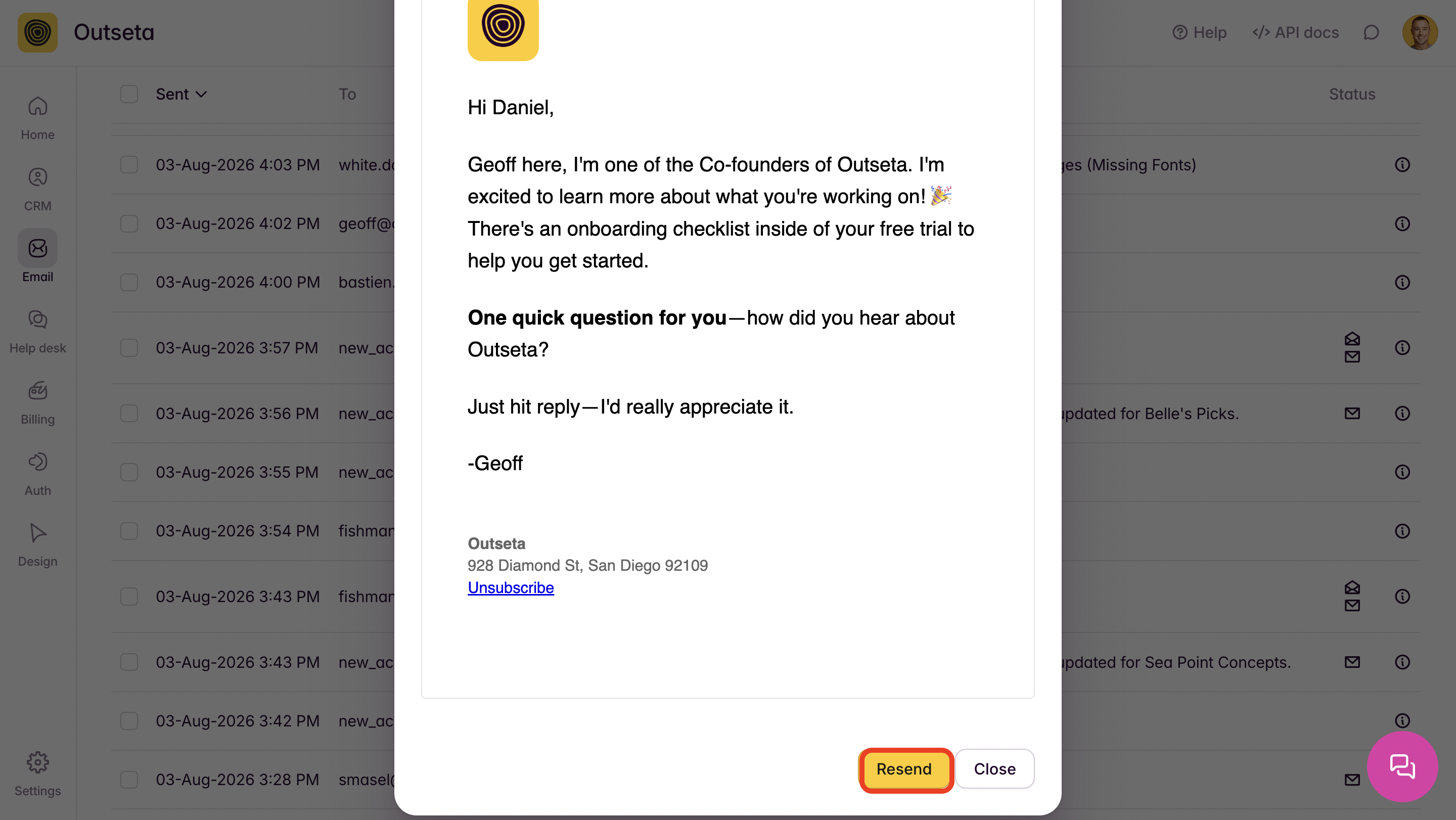
Did someone miss one of your emails? You can now resend any email sent via Outseta to a single recipient. Just navigate to EMAIL > SENT LOG and click on the DETAILS icon next to any given message to open a copy of the email. From there, hit RESEND.
New Feature! Search People and Accounts by custom property values 🔎
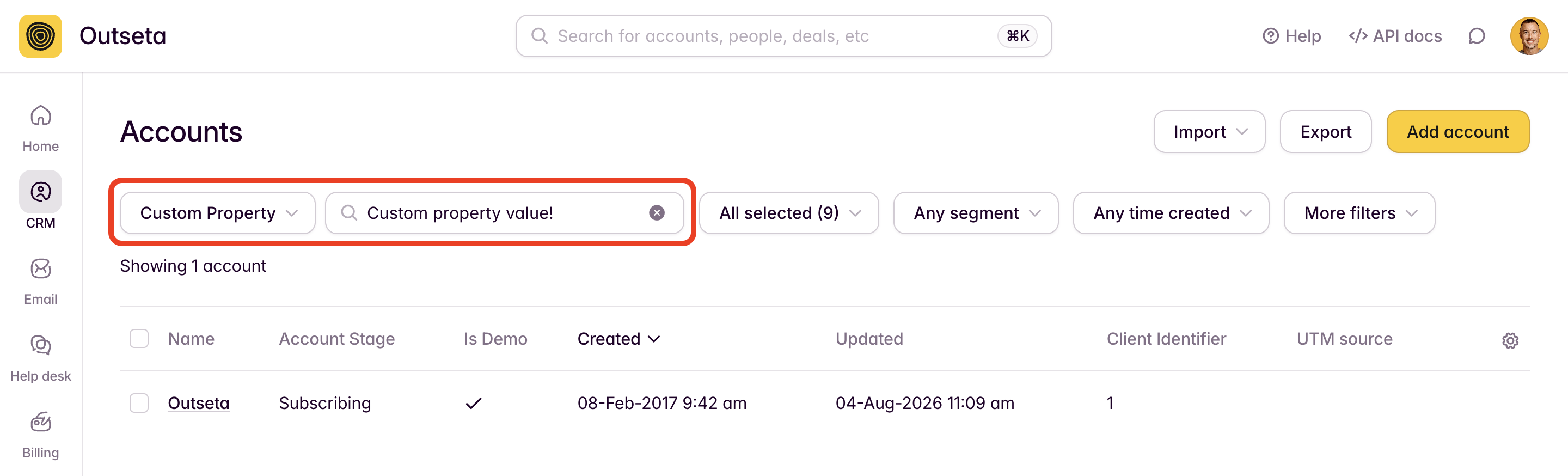
We added the ability to search your People and Accounts by custom property values.
An example of how this might be useful; say you have a custom property on your Account records called "License Plate Number." You might want to search to find the Account with the License Plate Number BIT978G. You can now complete such searches—thanks to the team at OV Loop for this suggestion.
That's all we've got for this update—as always, all of these features are now live in your Outseta account and are included at no additional cost in your subscription fees.
On this page
Get our newsletter
Try Outseta free for 14 days—you'll have access to every feature. Cancel any time.
