9 Best Association Management Software (2026)
Compare the 9 best association management software options for 2026. Find the perfect tool to manage members, events, and dues. Choose yours today!

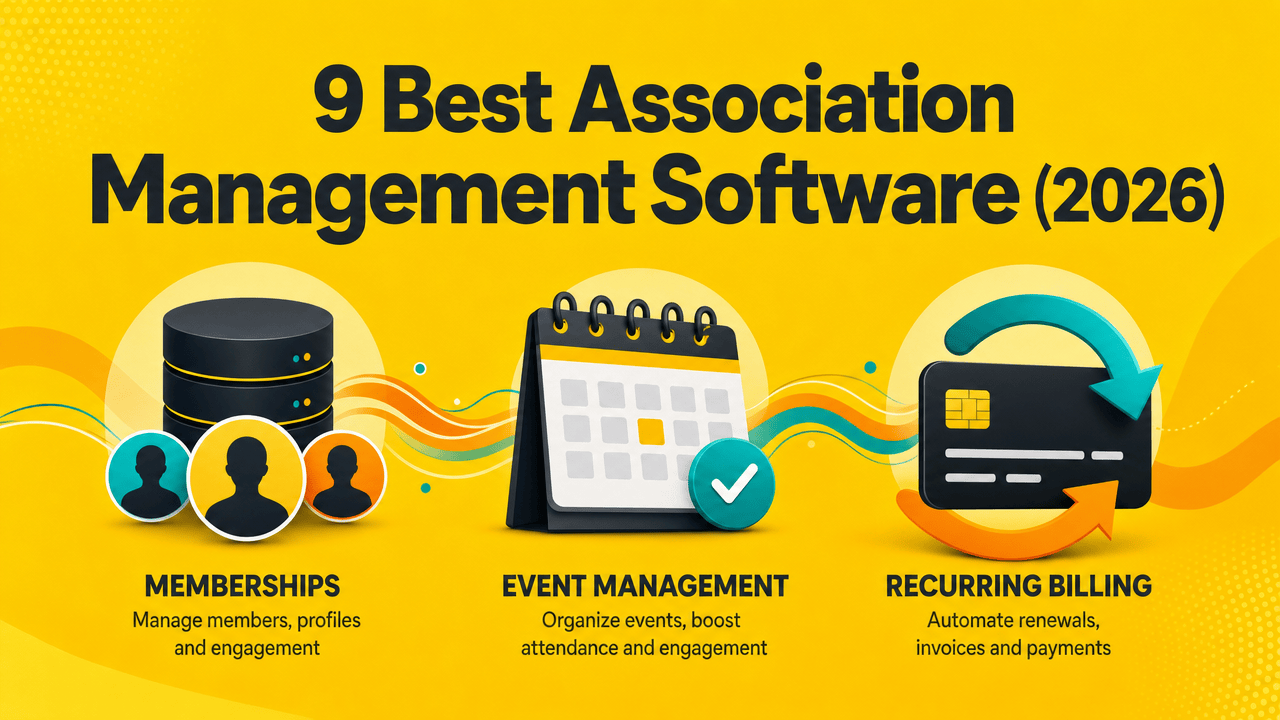
Running an association is a juggling act. You chase dues, renew members, plan events, answer questions, and keep every record correct. Most days you do this across a spreadsheet, a payment app, and a few other tools that don't connect.
This causes problems as you grow. You miss members, your data turns messy, and you waste hours fixing things by hand.
Association management software takes this work off your plate. It runs your members, dues, events, and emails from one place, so you spend more time growing the group and less on busywork.
The hard part is choosing one. Some tools only handle payments. Others are built for groups with 50,000 members and a full tech team. The right pick comes down to your size, your budget, and how much you want to manage yourself.
So which one actually fits your association? Below, you'll find the best association software options for 2026, sorted by who each one fits, with real pricing and honest trade-offs.
What is association management software?
Association management software is one tool that runs the daily work of a membership group. It stores your member records, collects dues, manages events, and sends your emails from a single place.
Most vendors shorten it to AMS, short for association management system (AMS). You'll also see it sold as AMS software or association membership management software, but the job is the same.
The point is to replace the usual pile of apps: a spreadsheet for the member list, a payment tool for dues, an email service on the side. An AMS holds all of it together, so your data stays in one spot and your team stops copying it between tools.
The best association management software
These are the top association management software options worth your time this year. They range from lean all-in-one tools to heavy systems built for national bodies, so you'll find clear ams examples for almost any size of group.
We reviewed each tool, tested the ones with open trials, and used real pricing wherever vendors publish it. Each tool below lists what it does, who it fits, the main features, and the cost.
1. Outseta
.png)
Outseta is the rare association management software that covers almost everything an association needs on its own. Instead of paying for Stripe, a CRM, Mailchimp, and a help desk separately, you get all four working together.
It runs on top of your existing site, whether that's Webflow, WordPress, Framer, or custom code. For smaller associations and nonprofits, it covers the whole job without a tech team.
Who it's for
Lean associations, clubs, and nonprofits that want one tool instead of five. A strong pick if you'd rather spend on members than on software.
Key features
Member billing with renewals, invoices, and automatic tax handling
Built-in CRM that updates the moment someone joins or upgrades
Email campaigns and automatic reminders for dues and renewals
Member login and gated content for your site
Help desk with tickets, live chat, and a knowledge base
Unlimited team admins and the full feature set on every plan
Pricing
Founder: $47/month (up to 1,000 contacts)
Start-up: $87/month (up to 5,000 contacts)
Growth: $127/month (up to 10,000 contacts)
50K: $497/month (up to 50,000 contacts)
2. Fonteva
.png)
Fonteva is a full association management system built on top of Salesforce. It targets established trade and professional bodies that already run on Salesforce and want member data, events, and reporting sitting in one system instead of scattered across tools.
Running on Salesforce is the main draw. You get enterprise-grade reporting, deep customization, and room to scale as your membership grows. There are real trade-offs, though. Setup takes longer, you often need a consultant to configure it, and smaller teams can find the system heavier than they need.
Who it's for
Mid-to-large associations with paid staff and either a Salesforce setup already or the budget to build one.
Key features
Member records, dues, and renewals native to Salesforce
Event registration and payments
Online member communities and committees
Custom dashboards and detailed reporting
Pricing
Fonteva doesn't publish pricing. You book a demo and get a custom quote, and based on its Salesforce base and enterprise focus, expect it to sit at the higher end. Confirm the current number with their team before you commit.
Who it's not for
Small clubs or volunteer-run groups. The cost and setup work outweigh the benefit at that size.
3. Nimble AMS
.png)
Nimble AMS is a Salesforce-native system from Community Brands, built for medium-to-large associations. It sits in the same Salesforce world as Fonteva but takes a more productized path. Fonteva hands you a flexible toolbox to build on, while Nimble ships proven association templates ready to use.
Its edge is the Salesforce engine plus AI. Nimble Prediction uses Salesforce Einstein to flag members likely to lapse before they leave, and a managed upgrade model keeps your setup working when Salesforce updates through the year.
One thing to know: the polished front end still runs on Salesforce underneath, so you need a Salesforce admin or consultant to run it well. This is not plug-and-play.
Who it's for
Mid-to-large associations with staff that want Salesforce power and strong member-engagement tools.
Key features
Member management with automated renewals
Nimble Prediction for churn and lapse forecasting
Online community and modern member portals
Reporting dashboards and revenue tracking
Pricing
Nimble doesn't publish pricing. Plan for $10,000-$25,000+ in implementation plus per-user monthly licensing, and a 6-10 month rollout. Ask their sales team for a current quote.
Who it's not for
Small or budget-conscious groups, and anyone who needs to launch in 30 days.
4. MemberClicks
.png)
MemberClicks is a Community Brands product built for associations, nonprofits, and chambers running on a small staff. It skips the Salesforce weight of Fonteva and Nimble, so a lean team can manage members and events without a developer.
It comes in two versions. MC Pro fits associations and nonprofits whose members are individuals, with a member directory, committee management, and dues collection. MC Trade fits trade groups and chambers whose members are organizations, adding a full CRM and tools for complex company structures.
Both cover events, email, reporting, and an association website, with add-ons like a job board, an online classroom, and a member app.
Who it's for
Small-to-mid associations, nonprofits, and chambers that want association-specific tools without a technical setup.
Key features
Member CRM with dues and automated renewals
Event management and registration
Email marketing and reporting
Association website builder and committee tools
Pricing
MC Pro starts around $4,500/year and MC Trade around $3,500/year, scaling with your size and features.
Who it's not for
Solo creators or tiny clubs that need something free or near-free to start.
5. Glue Up
.png)
Glue Up is an all-in-one platform for associations, chambers, and nonprofits, used by groups in more than 70 countries. It puts your CRM, memberships, events, payments, and community engagement in one place, with a strong focus on events and keeping members active year-round.
The automation is the draw. It handles renewals, generates invoices, and runs member communications on its own, so a small team can manage a lot. An engagement dashboard shows you in real time who's active and who's drifting.
It can feel heavy, though. Some reviewers find the platform slow at scale, and the price climbs fast between tiers.
Who it's for
Chambers, associations, and global member groups that run frequent events and want engagement tools built in.
Key features
Member CRM with automated renewals and invoicing
Event registration and management
Community tools with groups and direct messaging
Real-time engagement dashboard and multi-currency payments
Pricing
Plus starts at $4,500/year, Pro at $15,500/year, and Enterprise (for chapter organizations) is custom.
Who it's not for
Tiny clubs on a tight budget. The entry price puts it out of reach for very small or volunteer-run groups.
6. Wild Apricot
.png)
Wild Apricot is the go-to for small clubs, nonprofits, and associations that want something cheap and easy to run. I a member database, event registration, email, online payments, and a drag-and-drop website builder, which helps groups that don't have a site yet.
The setup is friendly for non-technical volunteers, and every plan includes the same features. You pay based on your total contacts, not on which tools you unlock. A mobile app lets you manage members and check in event guests on the go.
Two downsides. Users say support got slower after Personify took over. And if you use Stripe or PayPal instead of Personify's own payment system, you pay an extra fee on top.
Who it's for
Small, volunteer-run groups and nonprofits that want a low-cost, all-in-one tool with a website included.
Key features
Member database with automated renewals and invoicing
Event registration and online payments
Drag-and-drop website builder
Email, newsletters, and a mobile app
Pricing
Pricing is based on your total contacts, with a 60-day free trial. Plans run from about $66/month for 100 contacts up to $992/month for 50,000 contacts. Prepay for a year and save 10%.
Who it's not for
Groups that want to use their own payment processor without an extra fee, or large associations needing deep customization.
7. GrowthZone
.png)
GrowthZone is trade association software built for chambers of commerce, professional bodies, and small-to-mid associations that want to grow membership and non-dues revenue. It bundles a member database, billing, events, and email into one system. Chambers get a dedicated ChamberMaster edition with extras like Hot Deals and a business directory.
What sets it apart is the focus on recruitment. A built-in sales funnel and marketing automation help you track prospects and turn them into paying members, which most AMS tools treat as an afterthought. You also get a staff mobile app for checking in event guests and taking payments on the go, plus a separate app for members.
Reviews are strongly positive on support and event tools. Some users report occasional bugs and a learning curve at the start.
Who it's for
Chambers and trade or professional associations that care about member recruitment and non-dues income.
Key features
Member database with automated billing and renewals
Sales funnel and marketing automation for recruitment
Event management with staff and member mobile apps
AI-powered newsletters and add-ons for an LMS, website, and community
Pricing
GrowthZone doesn't publish pricing on its site. Third-party sources put the starting cost at about $3,900/year for a single all-in-one plan, with onboarding and website design billed as extras. Get a direct quote from their team to confirm.
Who it's not for
Tiny clubs or solo creators on a small budget, and teams needing heavy custom reporting.
8. MemberPress
.png)
MemberPress is a WordPress plugin, not a standalone platform. If your association already runs on WordPress, it turns your site into a membership system. You can lock content behind a paywall, charge recurring dues, and sell courses with its built-in LMS.
It's a strong fit for content-heavy groups. Higher tiers add a member directory and Corporate Accounts, which lets you sell group memberships where one account manages several seats. But be clear on what it is: MemberPress handles paywalls and billing well, not full AMS work. There's no real member CRM, committees, or event tools, so you'd add those separately.
Who it's for
Associations already on WordPress that mainly need gated content, courses, and recurring dues.
Key features
Content paywalls and access rules
Recurring billing and payment plans
Built-in LMS for courses
Member directory and Corporate Accounts (higher tiers)
Pricing
Annual license, no free trial (14-day money-back instead). Intro pricing: Launch $199.50/year (Stripe only, plus transaction fees), Growth $349.50/year, Scale $499.50/year. Each roughly doubles at renewal, and only the Growth and Scale tiers drop transaction fees.
Who it's not for
Groups that aren't on WordPress, or anyone wanting a true all-in-one AMS.
9. Novi AMS
.png)
Novi AMS is built for associations that run their books in QuickBooks. Its standout is a 24/7, two-way QuickBooks sync, and it's the only AMS approved for the QuickBooks app store. For finance-heavy trade and professional groups, that connection removes hours of manual data entry every week.
It was built by association staff for association work, so it handles the basics well: member management, dues, events, a directory, and reporting. It deliberately skips trying to do everything, instead connecting to other tools through an open API. That focus makes it a favorite for trade associations with complicated billing and corporate membership structures.
Customers rate it highly, especially the QuickBooks sync and support. The main barrier is cost.
Who it's for
Trade and professional associations that use QuickBooks and want tight financial automation.
Key features
24/7 two-way QuickBooks sync
Member management and dues billing
Event registration and member directory
Open API and single sign-on
Pricing
Pricing is based on your annual revenue and starts at roughly $790 to $829/month, billed annually, plus an onboarding fee of around $3,600.
Who it's not for
Small clubs or anyone not using QuickBooks. The price and accounting focus are overkill for them.
What to look for in association management software
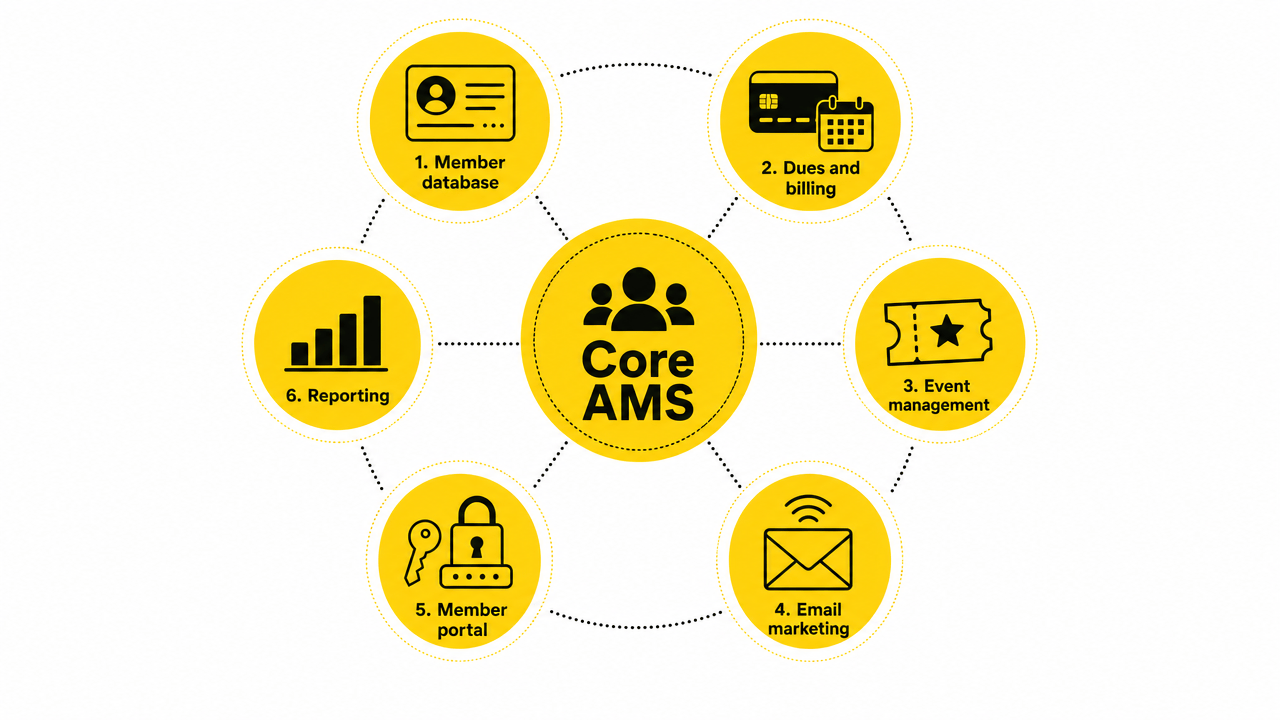
Every tool above works a bit differently. These are the features that matter most when you compare them.
Member database (CRM)
This is the heart of the system. You want one clear record for each member that shows their plan, whether they've paid, and their past activity. A good association management platform updates that record automatically when someone joins renews, or leaves, so your list stays correct.
Dues and recurring billing
Renewals should run automatically. Look for auto invoices, payment reminders, and an easy way to see who has paid and who hasn't. This is where most teams lose the most time doing things by hand.
Event management
If you run meetings, webinars, or a yearly conference, you want sign-ups and payments built in, not handled in a separate app.
Email and communication
Welcome notes, renewal reminders, and newsletters should go out from the same place that holds your member data. That's what makes association management online easy, because your emails pull live member info.
Member portal and gated content
Members want to log in, update their details, and open member-only resources. Good software for association management controls this by plan, on its own.
Reporting
You should see who's renewing, how much you're earning, and how active members are, without exporting to a spreadsheet each time.
One more thing: watch out for too many tools. If a platform makes you add three other apps to cover these basics, you lose the time and money you were trying to save.
Association software for members vs. HOAs
.png)
One thing causes a lot of confusion. The term "association management software" actually means two different products, depending on who's searching.
Almost everything above is for member groups like trade associations, professional bodies, clubs, and nonprofits. Their job is to track members, collect dues, and run events.
A homeowners association needs a different kind of tool. These groups manage buildings and units, not memberships, so they care about repair requests, maintenance schedules, and vendor payments. That's what hoa property management software is built for. Tools like Buildium, PayHOA, and Condo Control handle it, which is why none of them made the list above.
The fix is simple. Pick based on what you manage. Manage people who pay dues and show up to events, and the nine tools above are your shortlist. Manage buildings, units, and repairs, and you want software for hoa management, since a member-focused AMS can't handle work orders or property approvals.
How to choose the right association management software
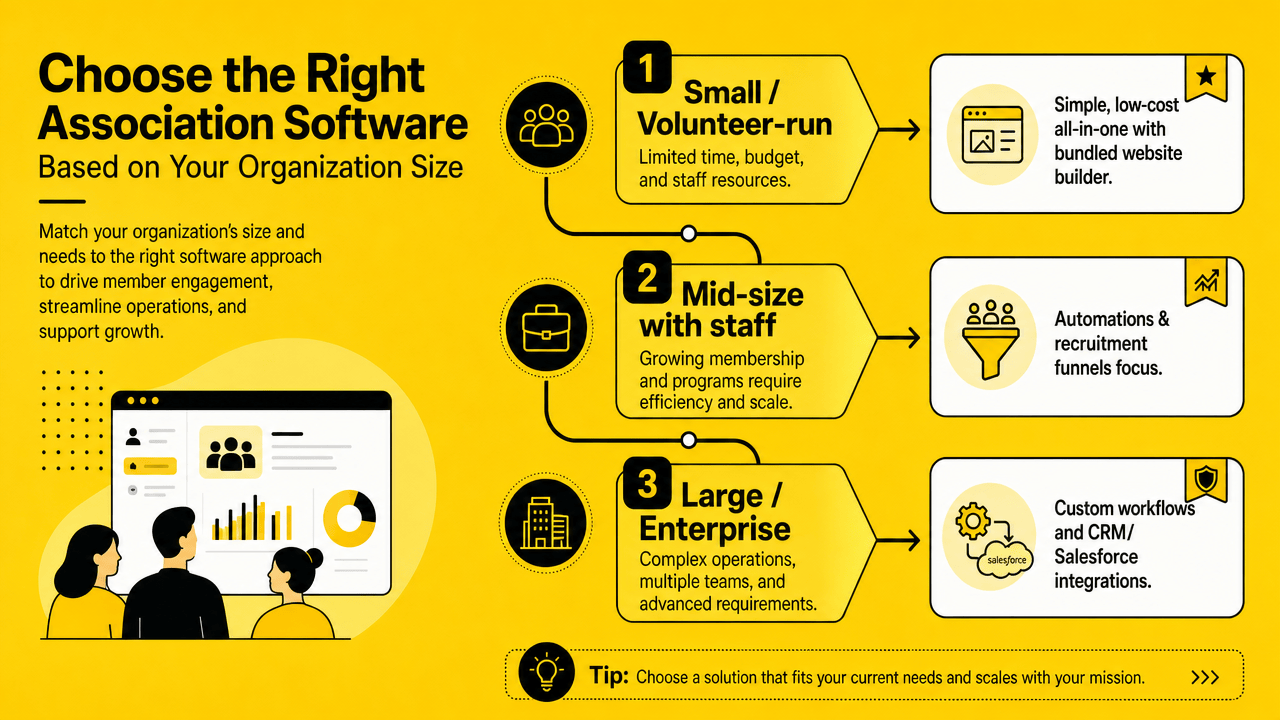
The best tool depends on your size, your budget, and how much you want to manage yourself.
Small or volunteer-run groups should start with a simple, low-cost tool that's quick to set up. Mid-size associations with staff usually need stronger event and automation features. Large national bodies often want a heavy system with custom workflows, and the price and setup that come with it.
When you compare options, do three things. List the features you actually need. Test the setup yourself during a trial or demo. And check the real price before you book a sales call, since many tools hide it.
The right pick is the one that fits how your group works today, not the one with the longest feature list. Choose two or three from above, try them, and go with the one your team finds easiest to run.
If you want members, dues, email, and support working together without juggling separate tools, Outseta is worth a look.
Frequently asked questions
What is an AMS?
AMS stands for association management system. It's software that holds your members, dues, events, and emails in one place. You'll also see it called association management system software or an associate management system.
How much does association management software cost?
It varies by size and tool. All-in-one options start around $47 to $130 a month. Systems for staffed associations run $3,500 to $4,500 a year, and large Salesforce-based platforms cost more. Many association management software companies don't list prices, so you'll often need a demo.
What's the difference between an AMS and a CRM?
A CRM tracks contacts and relationships. An AMS does that too, then adds the parts associations need: dues, renewals, events, and member portals. Think of an AMS as a CRM built for membership work.
Is there free association management software?
A few tools offer free or low-cost starter plans, usually capped by member count. They work for very small or new groups, but most associations move to a paid plan once they grow past a few hundred members.
Try Outseta free for 7 days—you'll have access to every feature. Cancel any time.

On this page
Get our newsletter